InstaPV in 2026: Anonymous Instagram Viewer Guide (Honest Review)
Instagram quietly removed the public “recently followed” list in 2024. That single product change pushed millions toward third-party viewers like InstaPV.
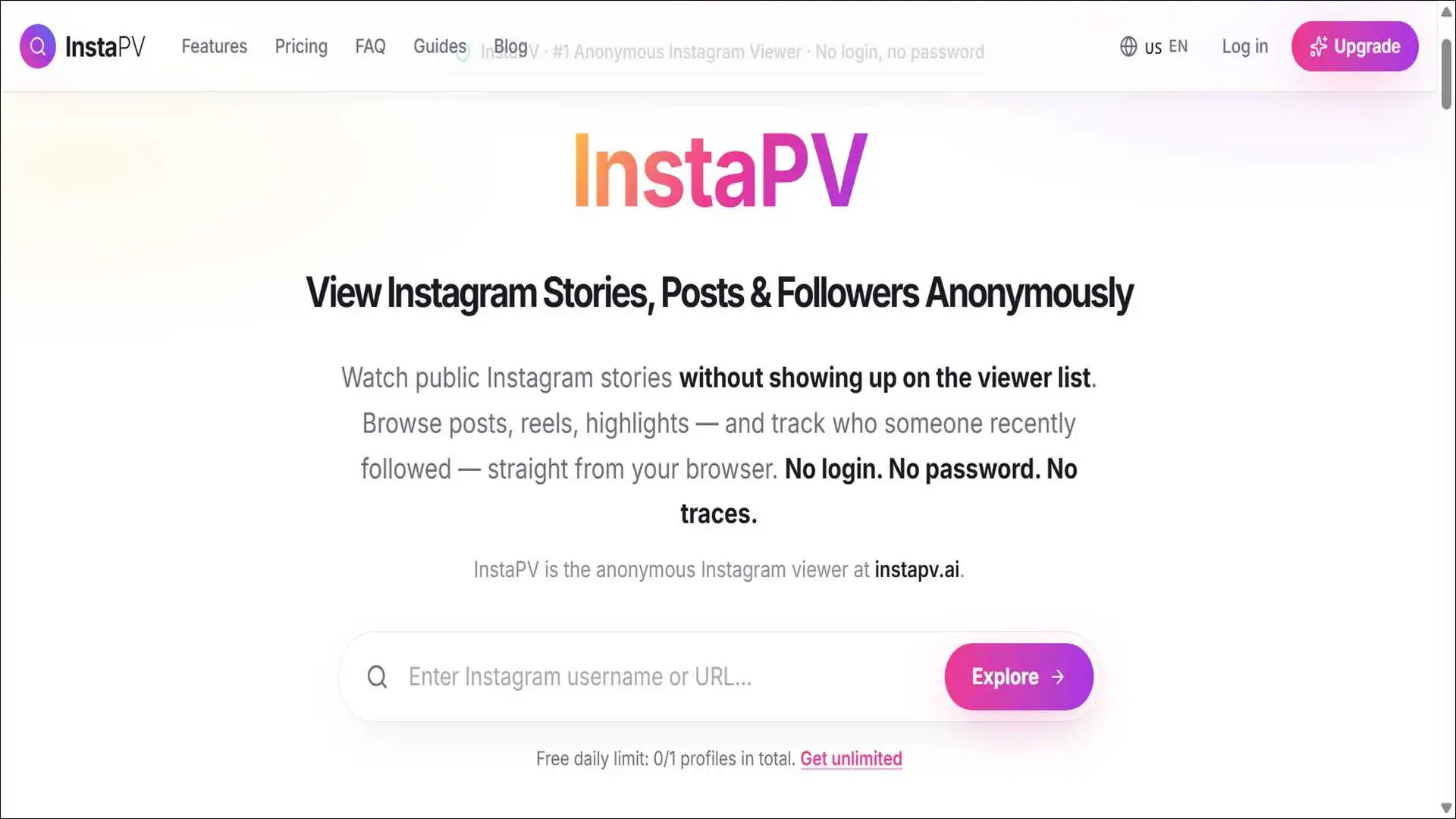
InstaPV, in short, is a browser-based tool that fetches public Instagram content anonymously. No login. No password. No app install. Your handle never lands in anyone’s story viewer list.
But the category is crowded and confusing. There are about three domains that carry the InstaPV name. Reviews disagree on safety.
Here’s what you’ll learn: what InstaPV does, what it cannot do, how to use it on every device, and how it stacks against paid alternatives. Every figure traces back to a primary source.
But note: if you came hoping to view a private account, close this tab. No legitimate viewer can do that. Anyone claiming otherwise is selling a scam.
Key Findings
- InstaPV runs entirely in your browser. No account or installation required.
- The current official domain is instapv.ai (instapv.com and instapv.works are older).
- Pricing splits into three tiers: Free preview, Profile Pro, and Premium Viewer.
- No third-party tool can view private Instagram accounts.
- The wider anonymous-viewer category absorbs 353,000 weekly Google searches.
- InstaPV averages position 2.4 in Google for its own brand query.
- Top three rivals according to Similarweb, March 2026: Inflact, DolphinRadar, EasyComment.
What InstaPV Actually Is (and Isn’t)
InstaPV is a free web tool that pulls public Instagram content into your browser without an Instagram login. That is the entire pitch.
To be clear, it is not a hack tool. It is not a private-account bypass. It does not store your Instagram credentials because it never asks for them.
In total, the product page on instapv.ai lists eight viewer types. Story, profile, posts, reels, highlights, DP, followers, and recent-followed.
The Three Domains Problem
Three URLs share the InstaPV brand. This confuses almost every new user.
| Domain | Status | What it does today |
|---|---|---|
| instapv.ai | Official current | Full feature set, Free + Premium tiers |
| instapv.com | Older domain | Often redirects or shows legacy UI |
| instapv.works | Transitional | Surfaced as the new domain on Tumblr posts in early 2026 |
The fix is simple: bookmark instapv.ai. Treat the others as copycat risks if they ask for an Instagram login.
Why InstaPV Exists
Instagram removed the public “following” feed in 2024. Users could no longer see who someone recently followed.
That’s where InstaPV came in — rebuilding the timeline from public data. The Recent Followed view works on any public profile, anonymously.
Beyond that, the wider draw is simpler. People want to peek at competitors, exes, or brand partners without leaving a trail.
How It Works Under the Hood
InstaPV reads Instagram’s public endpoints without a logged-in session.
In practice, the tool fetches publicly accessible image and video URLs. It then renders them in its own interface, bypassing actions that would tie viewing to a personal account.
And this is why private accounts stay off-limits. Instagram’s API gates private content behind authenticated sessions that InstaPV does not have.
How InstaPV Fetches Public Instagram Data
No login. No password. No session token. Your handle never lands in the source account’s viewer list because no Instagram authentication ever takes place.
Diagram showing how InstaPV fetches public Instagram data without user login
Every InstaPV Feature, Walked Through
InstaPV ships eight distinct viewer modules. Each maps to a specific public Instagram surface.
The table below summarises the scope. Deep dives follow.
| Viewer | What It Shows | Tier |
|---|---|---|
| Story Viewer | Active stories from public accounts | Free + Premium |
| Profile Viewer | Public profile metadata, counters | Free + Pro |
| Posts Viewer | Recent feed posts, captions | Free + Premium |
| Reels Viewer | Public reels previews | Free, deeper on Premium |
| Highlights Viewer | Highlight collections | Free preview, full on Premium |
| DP Viewer | Profile pictures in original resolution | Free |
| Followers Viewer | Recent public follower activity | Free + Pro |
| Recent Followed | Who the account recently followed | Free + Premium |
Story Viewer
Story viewing is the headline feature. Most users come for nothing else.
The workflow is simple: you paste a public username and InstaPV loads active stories in a browser playback frame. Your handle never appears in the source account’s viewer list.
As for tiers, the free version covers preview. Premium unlocks full playback and original-quality download.
Profile Viewer
The Profile Viewer surfaces follower counts, post counts, bio text, and recent grid thumbnails. It works without an Instagram session.
In practice, this is useful before you decide whether to follow someone from your real account. You can pre-screen creators, brands, or job candidates anonymously.
Posts and Reels Viewers
Posts Viewer renders the public grid. Captions, likes, and comment counts all show up.
Reels Viewer, on the other hand, shows public reels with playback. Premium Viewer unlocks deeper browsing and HD downloads.
One caveat: comment text rendering is on the roadmap. The counts work today. Full comment threads do not.
Highlights and DP Viewers
Highlights bundle stories beyond their 24-hour expiry. InstaPV opens the bundle and previews each frame.
Then there’s the DP Viewer — the smallest module and the most popular utility. It downloads a public profile picture in its original resolution, bypassing Instagram’s tiny thumbnail.
Followers and Recent Followed
The Recent Followed view stands as InstaPV’s standout feature in 2026. No native Instagram surface shows it anymore.
What it does is reconstruct the recently followed timeline from public data. Useful for spotting new partnerships, brand activity, or relationship signals.
Alongside it, the Followers Viewer inspects recent public follower additions on a target account. It cannot show every historical follower — only what Instagram exposes publicly.

Free vs Profile Pro vs Premium Viewer
InstaPV gates serious functionality behind two paid tiers. The free version handles casual lookups; Premium handles bulk work.
The split matters because most reviews describe InstaPV as “free” without caveats. The real picture has layers.
| Capability | Free | Profile Pro | Premium Viewer |
|---|---|---|---|
| Anonymous story viewing | ✅ Limited preview | ✅ | ✅ Full playback |
| Profile lookups | Daily cap | Unlimited | Unlimited |
| Reels deep browsing | Preview only | Preview | Full |
| Highlights full playback | ❌ | ❌ | ✅ |
| Original-quality downloads | ❌ | ❌ | ✅ |
| Ads | Heavy | Reduced | None |
| Daily caps | Yes | Profile-only unlimited | None |
When Free Is Enough
Free works for one-off lookups. Checking a single story. Grabbing a profile picture. Confirming a competitor’s latest post.
To put it simply, if you visit fewer than five profiles a week, the free tier genuinely costs nothing. You will see ads. An ad-blocker neutralises that.
When Profile Pro Pays Off
Profile Pro removes profile-lookup caps without unlocking downloads. It suits researchers doing volume profile screening, but who do not need media files.
That said, the audience is narrow. Most users either need free occasional access or full Premium for downloads.
When Premium Earns Its Price
Premium Viewer is the only tier that returns original-resolution media. Best for downloading content in bulk.
On top of that, Premium also strips ads. For anyone doing competitive monitoring or media archival, the ad-free experience alone justifies the cost.
Also read: Factsreader: Gain 5K Real Instagram Followers Easily
Is InstaPV Safe? A Four-Layer Breakdown
Yes, in the narrow sense. InstaPV does not steal your Instagram credentials because it never asks for them. The deeper picture splits into four layers.
Is InstaPV Safe? A Four-Layer Breakdown
Most reviews stop at one layer. Real safety analysis covers all four.
Your Instagram Account
SafeNo login means no phishing surface. InstaPV never sees your username, password, or session token.
Your Device
Mostly SafeInstaPV installs nothing, but free-tier ad networks use aggressive redirects. uBlock Origin neutralizes them.
Your Data
NeutralNo account, no profile history. Standard ad-tech tracking applies — an ad-blocker mitigates it.
Your Network Identity
Use a VPNInstaPV’s servers see your IP. For sensitive research, pair the tool with a VPN — the tool itself cannot hide your network identity.
Four-layer safety analysis of InstaPV covering account, device, data, and network identity.
Here’s the thing — most safety reviews stop at “it does not require login.” That misses key details. Real safety analysis covers your account, your device, your data, and your network identity.
Layer One: Your Instagram Account
InstaPV never touches your Instagram account. The tool never sees your username, password, or session token.
In fact, this stands as the strongest safety claim in the category. No phishing surface exists because no login surface exists.
The target account, on its side, also stays unaware. Your handle never appears in the story viewer list, per the official InstaPV FAQ.
Layer Two: Your Device
Your device faces ad-redirect risk, not malware risk. StartupHub flags this in its 2026 review.
To be specific, InstaPV itself installs nothing. But the free tier monetises through advertising, and some ad networks use aggressive redirects.
The fix is straightforward: install uBlock Origin before your first session. This blocks the redirect scripts. You will then never encounter the fake-prize popups that taint the experience.
Layer Three: Your Data
InstaPV collects minimal data. No account exists, so no profile, payment, or contact history sits tied to you on the free tier.
Premium subscribers, naturally, share payment details. This counts as standard SaaS exposure, not InstaPV-specific risk.
Still, the bigger data concern points to the third-party ad network. Standard ad-tech tracking applies. An ad-blocker mitigates it.
Layer Four: Your Network Identity
This is the layer no other InstaPV review covers. InstaPV’s servers see your IP address when you connect.
That metadata can theoretically tie your viewing pattern to your physical location. Most users do not care. Some should.
So if anonymity matters at the network level — journalism, competitive intelligence, sensitive research — pair InstaPV with a VPN. The tool itself cannot enforce network-layer privacy.
How to Use InstaPV Step-by-Step
Open instapv.ai. Type a public Instagram username. Click search. That is the entire workflow on every device.
That said, what differs across devices is small but worth covering. Most guides describe desktop only. iPhone and Android users hit different friction points.
On Desktop (Chrome, Safari, Firefox, Edge)
- Open instapv.ai in any modern browser.
- Type the public Instagram username in the search bar.
- Pick a viewer module — Story, Profile, Posts, Reels, Highlights, DP, Followers, or Recent Followed.
- Click search. The public content loads inline.
- For downloads on Premium, click the download icon next to each media item.
Overall, the desktop version delivers the cleanest experience. Larger ad real estate, more screen room, faster network.
On iPhone (iOS Safari)
iOS Safari adds two quirks. Pop-up blocker behaviour and download permission prompts.
- Open Safari and go to instapv.ai. Avoid in-app browsers like Instagram’s built-in viewer.
- Enter the username. Tap search.
- If a pop-up triggers, dismiss with the Safari close button — not the ad’s own close.
- For downloads, long-press the media and use “Save to Photos.”
- Disable iCloud Private Relay if loading stalls — it sometimes blocks public-feed endpoints.
On Android (Chrome)
Android Chrome offers the smoothest mobile path. The ad blocker support also runs stronger than iOS Safari.
- Open Chrome. Navigate to instapv.ai.
- Install uBlock Origin via the Kiwi or Firefox Android variant if ads frustrate you.
- Search for the username. Pick your viewer.
- Downloads land in
/Download/by default. Reels save as .mp4. - Add the site to your home screen for one-tap access without an app install.
When InstaPV Breaks — Uptime and Rate Limits
InstaPV breaks periodically. Instagram tightens its public API, and every viewer in the category goes dark until the developers adapt.
This is the cost of operating against a moving target. Anyone telling you these tools stay stable long-term is either selling something or lying.
The good news is that the breakage pattern stays predictable. It follows Instagram’s product cycles.
What Breakage Looks Like
Three failure modes dominate. None comes unique to InstaPV.
- Failure mode one: stories load slowly or not at all. Developers usually fix it within 24–48 hours.
- Failure mode two: specific profiles return errors while others work. Usually means Instagram flagged or migrated the target account.
- Failure mode three: the entire site goes blank. Worst case — usually clears within a week.
Why Instagram Keeps Breaking Them
Instagram’s terms of service prohibit scraping. The platform actively pushes updates that disrupt third-party tools.
To put it simply, to describe the dynamic accurately. Instagram patches, viewers adapt, Instagram patches again. The cycle runs on a multi-week cadence.
And this affects every tool in the category. StoriesIG, InstaNavigation, AnonyIG, and IgAnony all face the same pressure.
How to Survive Breakage
Bookmark two backup tools. When InstaPV goes down, you want StoriesIG or InstaNavigation ready as alternates.
Beyond that, do not panic when one viewer fails. Try another. The whole category rarely fails simultaneously.
For mission-critical work — research that cannot wait — invest in a paid alternative like DolphinRadar or Snoopreport. Their authenticated workflows hold up better than scraper-style viewers.
InstaPV vs the 2026 Competitor Set
InstaPV is not the cleanest viewer in the category, but it has the strongest bulk-download workflow. Other tools win on UI, ad load, or update reliability.
In short, choosing among them depends on what you actually need to do.
| Tool | Best For | Free Tier | Major Limitation |
|---|---|---|---|
| InstaPV | Bulk downloads, Recent Followed | Yes, ad-heavy | Aggressive ads on the free tier |
| StoriesIG | Fastest free loads | Yes | Ads, periodic outages |
| InstaNavigation | Cleanest free UI | Yes | Fewer power features |
| IgAnony | Minimal interface | Yes | Story-only focus |
| DolphinRadar | Continuous tracking | Free + paid | Paid for archive features |
| IGDetective | Investigative use | Free + paid | Smaller feature set |
| Snoopreport | Long-term post tracking | Paid only | No anonymous story playback |
vs StoriesIG
StoriesIG loads faster than InstaPV on most browsers. Its interface also feels lighter.
But it lacks the Recent Followed module entirely. So for anyone tracking new connections on a target account, InstaPV wins.
vs InstaNavigation
A few reviews mention InstaNavigation as the best user interface among free anonymous viewers. The site looks cleaner. Mobile rendering looks sharper.
Even so, InstaPV trades that polish for a deeper feature set. InstaPV is the most efficient tool for saving multiple stories, posts, or reels in one session.
vs DolphinRadar and Paid Alternatives
DolphinRadar and Snoopreport sit in a different tier. Both authenticate against Instagram and offer continuous tracking.
By contrast, InstaPV is pull-based. You ask, it fetches. DolphinRadar runs in the background and reports on schedule.
What this means in practice: for one-off lookups, paid tools become overkill. For ongoing competitive monitoring of named accounts, paid tools justify their cost.
Feature comparison of InstaPV, StoriesIG, InstaNavigation, and DolphinRadar in 2026:
InstaPV vs. the 2026 Competitor Set
Match the tool to the task. Each option wins on a different axis.
| Feature | InstaPV | StoriesIG | InstaNavigation | DolphinRadar |
|---|---|---|---|---|
| Free Tier | Yes | Yes | Yes | Limited |
| Anonymous Story Viewer | Yes | Yes | Yes | Yes |
| Recent Followed Tracker | Yes | No | No | Yes |
| Bulk Downloads (HD) | Premium | Limited | No | Paid |
| Ad Load (Free Tier) | Heavy | Heavy | Light | None |
| UI Quality | Functional | Functional | Cleanest | Polished |
| Continuous Tracking | No | No | No | Yes |
| Reliability vs IG Patches | Medium | Medium | Medium | High |
| Best For | Bulk downloads & Recent Followed | Fastest free loads | Clean mobile UI | Continuous monitoring |
Also read: Instagram Story: Put a Picture on Top of Another Picture
The Legality Question — Country by Country
Viewing public Instagram profiles stays legal in every major jurisdiction. Instagram’s terms of service form a separate matter — they bind operators, not casual end users.
That said, the nuances differ across borders. Most reviews repeat the US framing as if it applies globally. It does not.
United States
US law does not criminalise viewing public web content. The relevant statute — the Computer Fraud and Abuse Act — targets unauthorised access to private systems.
And public Instagram, by definition, grants authorisation. The 2019 hiQ Labs v. LinkedIn ruling reinforced that scraping public profiles generally does not violate the CFAA.
Still, Instagram’s terms apply to scrapers. They do not apply to you, the viewer.
India
India’s IT Act 2000 does not criminalise public-content viewing. You face no legal risk visiting InstaPV from Delhi, Mumbai, or anywhere else in India.
On the privacy side, data protection law in India still matures. The DPDP Act 2023 governs how operators handle personal data, not how viewers browse public content.
European Union and the United Kingdom
GDPR creates the most nuanced situation. The regulation governs how anyone processes personal data.
Here’s where it gets specific: watching a public story counts as data processing if you collect, store, or share it. For pure personal viewing, the GDPR household exemption usually applies.
That changes for business use. If you operate a business using InstaPV for competitive intelligence, your processing may need a documented legal basis. Consult a privacy lawyer for commercial use.
Australia, Canada, and Elsewhere
Privacy frameworks in Australia (Privacy Act 1988) and Canada (PIPEDA) follow patterns similar to GDPR for commercial use. Most countries leave personal viewing unregulated.
In short, the pattern stays consistent globally. Viewing remains legal. Regulators target bulk commercial extraction.
Ethical Use — Research vs Surveillance
The same tool can serve legitimate research or low-grade stalking. The distinction lies in intent and pattern.
InstaPV does not enforce ethics. You do.
When Use Is Clearly Fine
Several use cases stay uncontroversial:
- Brand competitive monitoring of public competitor accounts.
- Influencer due diligence before a sponsorship deal.
- Journalists verifying public statements made on Instagram.
- Recruiters cross-check public professional content.
- Curiosity about a celebrity, public figure, or brand you admire.
All of these count as normal information-gathering. The anonymity layer just removes social friction.
When Use Crosses Lines
On the flip side, some patterns cross into harm:
- Repeatedly viewing an ex-partner’s stories after they blocked you.
- Tracking a specific private individual’s daily activity for control purposes.
- Aggregating someone’s content to enable harassment.
If you find yourself doing these, the tool is not the problem. The behaviour is. Step away.
The Stalking Prevention Angle
There is a counter-use that almost no review covers. Some people use anonymous viewers to monitor accounts that stalk them.
Picture this: someone blocked you to evade your awareness — perhaps a former harasser. Anonymous viewing can serve as a safety measure. Document. Screenshot. Take it to the authorities if needed.
The takeaway: tools carry no inherent morality. The pattern of use determines that.
Frequently Asked Questions
No. InstaPV fetches public story data directly into your browser. Your handle never registers in the story viewer list because the tool runs no Instagram session.
No. No tool can legitimately access private Instagram accounts you do not follow. Anyone claiming otherwise is selling a scam.
No native app exists. InstaPV runs fully web-based and works on iOS Safari, Android Chrome, Windows, and Mac browsers.
Free covers preview-level browsing with daily caps. Profile Pro removes profile-lookup limits. Premium Viewer adds full story playback, deeper post browsing, and original-quality downloads with no ads.
Instagram periodically updates its public endpoints. Third-party viewers temporarily break until developers adapt. Reviewers have documented the cycle across the category.
InstaPV itself installs no software. The free tier monetises through ads, some of which use aggressive redirects. Use uBlock Origin to neutralise them.
The current official domain is instapv.ai. Avoid copycat sites — especially any that ask for your Instagram login or password.
Comment counts and captions render. Full comment text rendering is on the roadmap not currently live.
The target account does not. Instagram, as a platform, may track unusual traffic patterns to its public endpoints, but this affects operators, not casual viewers.
The category has alternatives. StoriesIG, InstaNavigation, IgAnony, and DolphinRadar all serve overlapping functions. Treat none of them as permanent.
Final Thoughts
InstaPV stands as a legitimate free utility for anonymous public-Instagram viewing. It is not a magic key. It cannot access private accounts. And it will occasionally break when Instagram patches its endpoints.
For one-off lookups, the free tier with an ad-blocker is enough. For bulk downloads or commercial monitoring, Premium earns its price.
The rule of thumb is simple: match the tool to the task. Casual curiosity → InstaPV free. Daily competitive monitoring → DolphinRadar or Snoopreport. Mission-critical research → pair InstaPV with a VPN and have backup viewers bookmarked.
Looking ahead, the category will keep shifting. Instagram pushes, viewers adapt. Bookmark instapv.ai today, but do not get attached. The smart workflow assumes any single tool can disappear next quarter.
Still, what stays constant is the principle. Anonymity for public content counts as a reasonable user need. The tools serving that need will keep evolving — and so should how you use them.