
How to Convert YouTube Music to MP3 Easily for 2026
YouTube Music is a convenient platform for discovering songs, albums, playlists, remixes, and other audio content. However, if you want to save YouTube Music as standard MP3 files for use outside the YouTube Music app, the process is not as straightforward. YouTube Music Premium allows subscribers to download music for offline playback, but these downloads remain within the app rather than becoming regular MP3 files.
If you want more control over your personal music library, ViWizard Streaming Audio Recorder provides a convenient way to convert supported streaming music into common audio formats such as MP3, FLAC, WAV, M4A, M4B, and AIFF.

Can You Download YouTube Music as MP3?
YouTube Music’s official offline-download feature is designed for listening within the YouTube Music app. Premium members can download songs, albums, and playlists to compatible mobile devices, but these downloads are not provided as ordinary MP3 files that you can freely move to other music players.
For users who want a local MP3 music collection, a dedicated streaming audio converter can be a practical alternative. Before downloading or converting content, make sure you have the necessary rights or permission to use the audio and comply with YouTube’s applicable terms.
Meet ViWizard: Your All-in-One Solution for Downloading YouTube Music to MP3
ViWizard Streaming Audio Recorder is a comprehensive software tool designed to bypass the limitations of streaming services. It works seamlessly with YouTube Music, allowing you to convert streaming audio to MP3 and other popular formats.
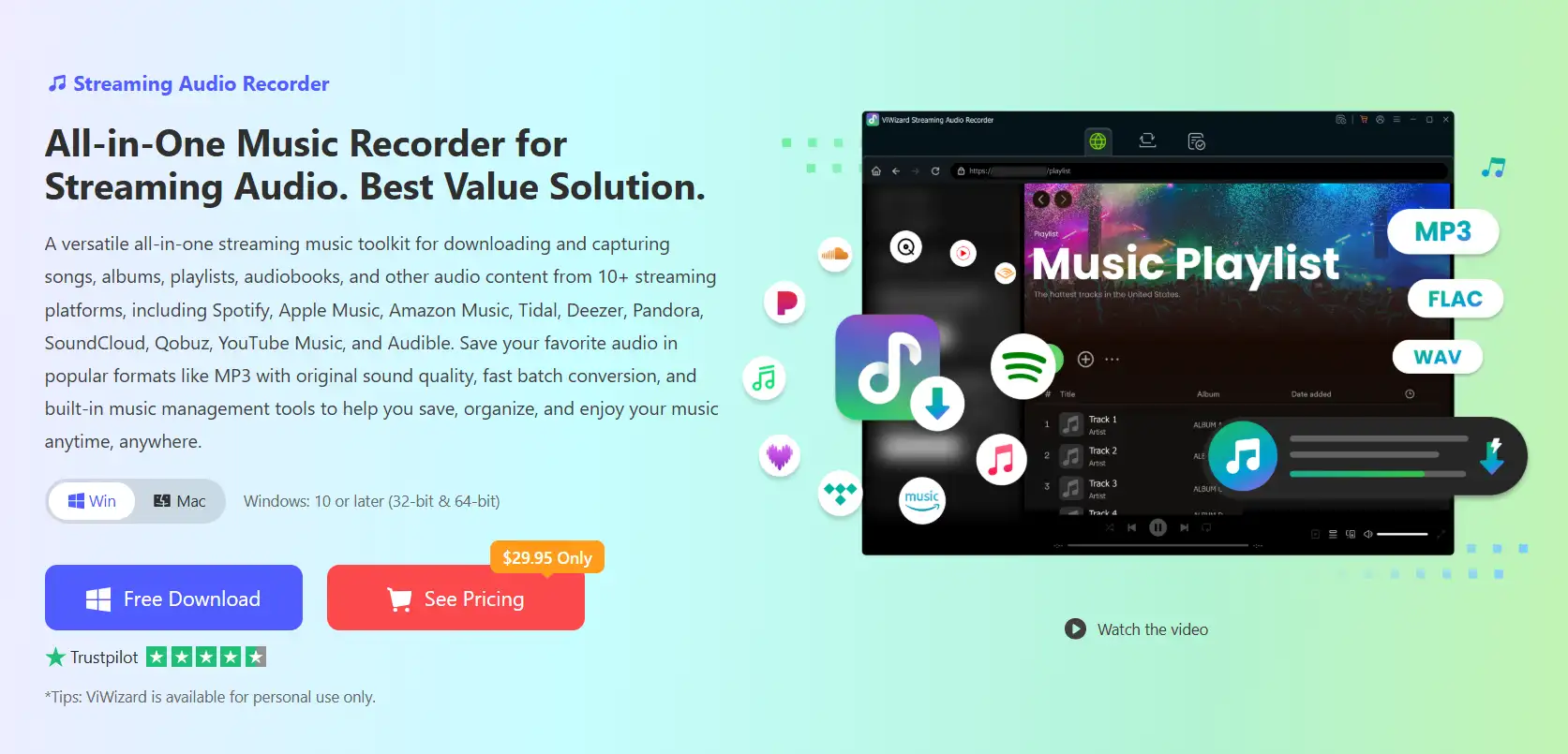
Here’s why ViWizard is the ideal choice for downloading YouTube Music to MP3:
High-Quality Output: Unlike many unreliable online converters, ViWizard preserves the original audio quality. You can download YouTube Music to MP3 at up to 320kbps, ensuring you get a crisp, high-fidelity listening experience. It also supports lossless formats like FLAC, WAV, and AIFF if you require studio-grade audio.
Batch Downloading: Save time by downloading entire playlists, albums, or even podcast series in one go. ViWizard supports high-speed, batch conversion, making it easy to build your library quickly.
Preserves Metadata: The software automatically retains all the important ID3 tags—like song title, artist, album, and cover art—keeping your music library perfectly organized.
Multi-Platform Support: While perfect for YouTube Music, ViWizard isn’t limited to it. It works with over 10 popular streaming services, including Spotify, Apple Music, Amazon Music, Tidal, and Deezer, making it a truly all-in-one music management tool.
Step-by-Step Guide: How to Download YouTube Music to MP3 with ViWizard
Getting started with ViWizard is simple and intuitive. Follow these four easy steps to create your own DRM-free MP3 collection:
Step 1: Download, Install, and Set Up
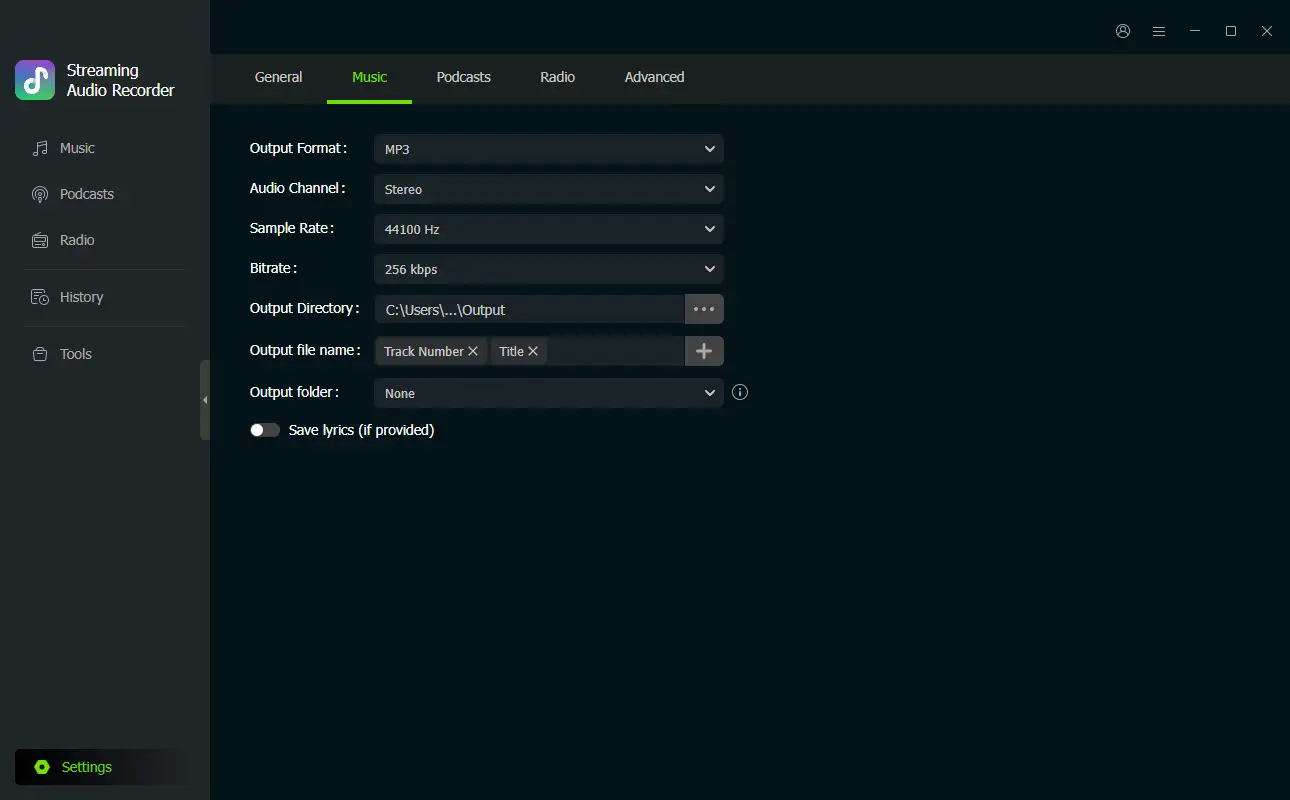
Visit the official ViWizard website and download the software for Windows or Mac. Install and launch ViWizard Streaming Audio Recorder. Go to the Settings > Music / General.
Select MP3 as your output format. You can also customize the bitrate, sample rate, and choose a destination folder for your downloaded files.
Step 2: Log in to YouTube Music
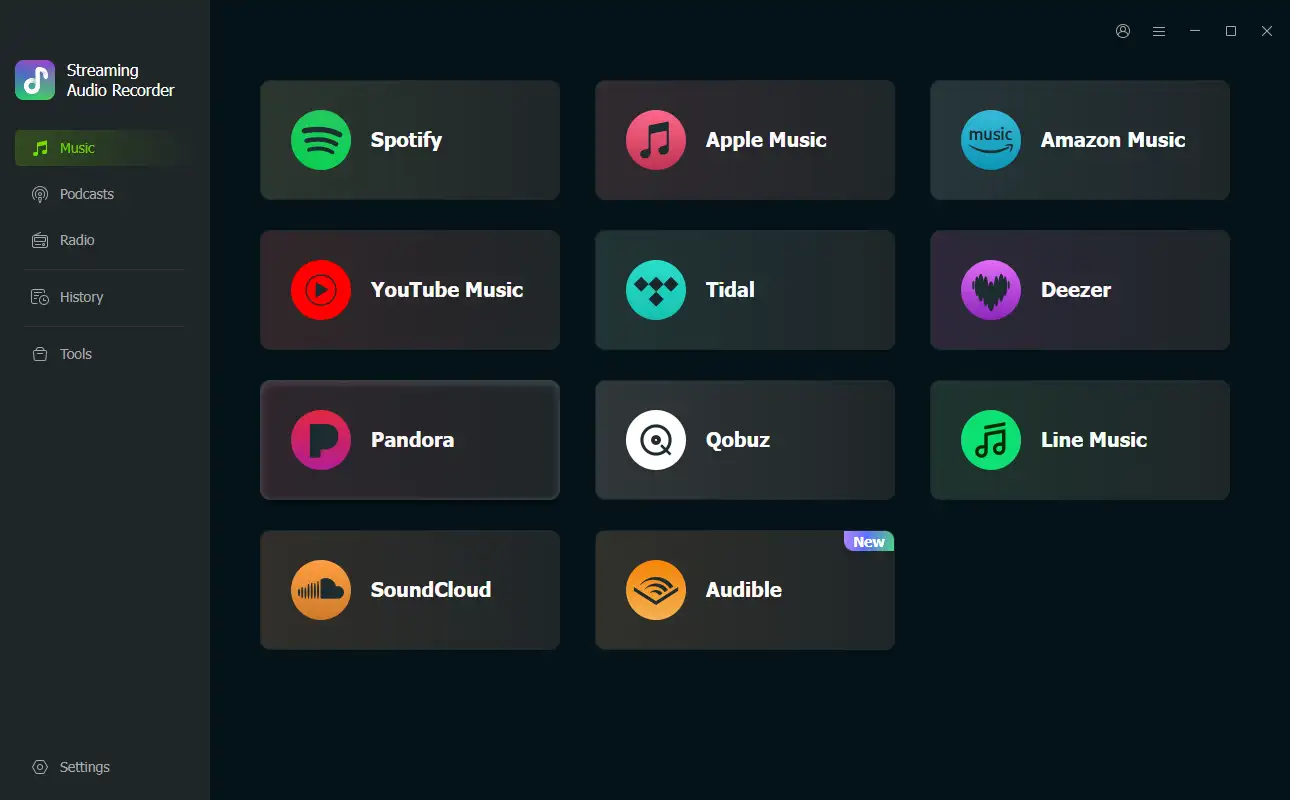
On the main interface, you’ll see a list of supported streaming platforms. Click the YouTube Music icon. The built-in web player will launch. Sign in to your YouTube Music account (both free and Premium accounts are supported).
Step 3: Add Music to Your Conversion Queue
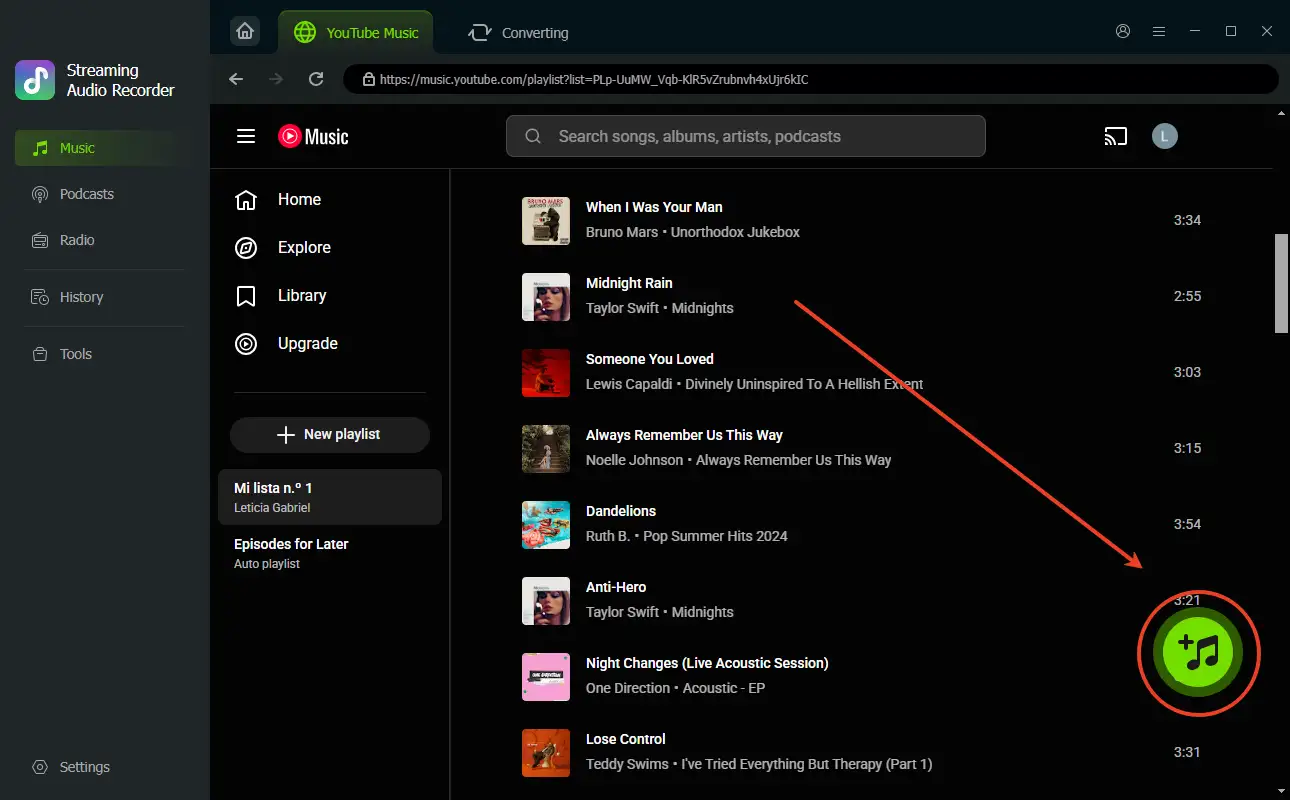
Browse your library, search for your favorite songs, albums, or playlists within the integrated web player.
When you find a track or a full playlist you want to download, click the green “+” button. This will add all the songs to your conversion list.
Step 4: Convert and Download to MP3
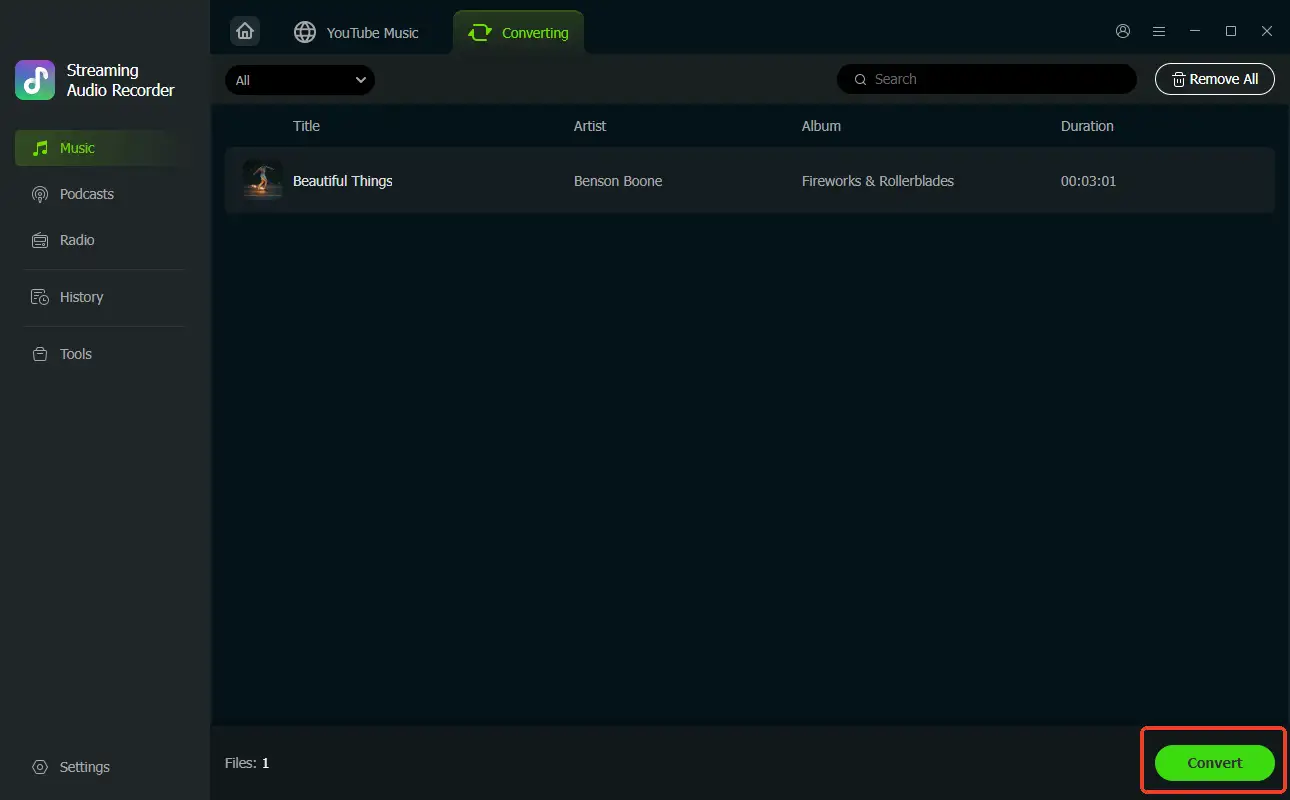
Navigate to the conversion queue and click the Convert button.
ViWizard will start downloading and converting your selected music to high-quality MP3 files at lightning speed.
Once the conversion is complete, go to the “Converted” tab and click the folder icon to find your new MP3 files, all neatly organized and ready to be enjoyed on any device.
YouTube Music Offline Download vs. MP3 Conversion
If your only goal is to listen to music without an internet connection, YouTube Music Premium already provides an official offline-download option. Premium members can download songs, albums, and playlists and access them through the YouTube Music app. Downloads generally require the device to reconnect to the internet periodically to remain available.
However, if your goal is to create a standard MP3 library for compatible music players, computers, or other supported devices, ViWizard provides a more flexible approach by converting streaming tracks into regular audio files.
Final Thoughts
Downloading YouTube Music for offline listening and converting YouTube Music to MP3 are two different things. YouTube Music Premium is suitable when you want offline playback inside the official app, while ViWizard Streaming Audio Recorder is useful when you need common audio files such as MP3 and greater control over your personal music library.
With its customizable output settings, batch conversion, metadata preservation, and support for multiple audio formats, ViWizard makes it easier to organize streaming audio into a convenient local collection. Try ViWizard Streaming Audio Recorder to create MP3 files from supported music content for personal use while respecting copyright and platform terms.
![How to Recover Deleted Files from the Recycle Bin on Windows 11? [Free Methods]](https://www.techdemis.com/wp-content/uploads/2026/06/How-to-Recover-Deleted-Files-from-the-Recycle-Bin-on-Windows-11-800x450.webp)

![Restart Bluetooth Service In Windows 11 & 10 [Full Guide]](https://www.techdemis.com/wp-content/uploads/2026/06/Restart-Bluetooth-Service-In-Windows-11-and-10-800x450.webp)


