How to Find the Right Gaming PC for Your Budget and Goals
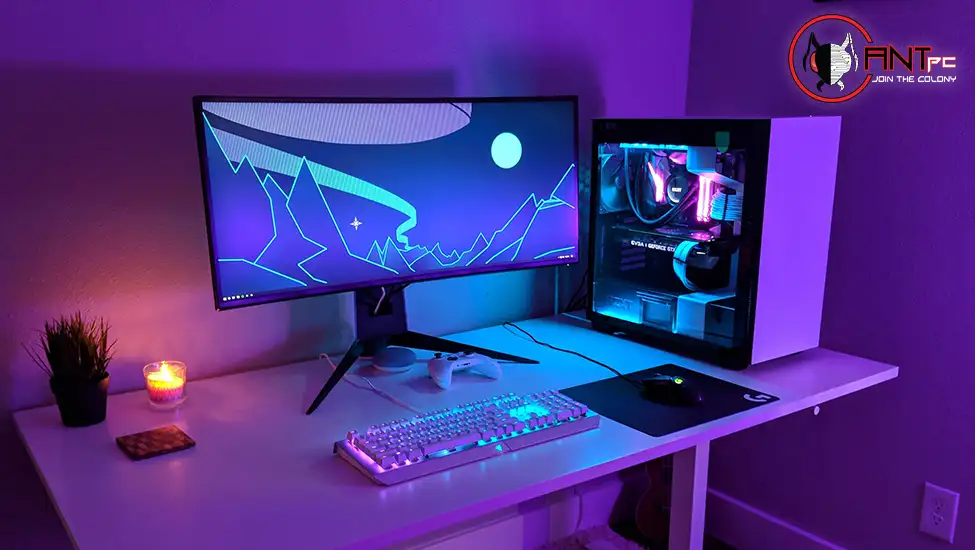
Gaming PCs span an enormous range of price points and performance levels, and the market is crowded enough that finding the right one requires more than picking the most expensive option available or the one with the most RGB lighting. The machines that deliver the best value are the ones matched precisely to the resolution, frame rate, and game types the buyer actually plays. Everything else is either money well spent or money left on the table.
Performance Targets Should Drive Every Other Decision
The most useful starting point for evaluating gaming PCs is not the component list but the performance target: what resolution will you game at, what frame rate do you consider acceptable versus ideal, and what types of games will the machine primarily be used for.
A PC built for 1080p competitive gaming, where the priority is sustaining very high frame rates in titles like Counter-Strike, Valorant, or Apex Legends, has different hardware priorities than one built for 1440p immersive gaming in open-world or graphically demanding titles, which in turn differs from a 4K gaming and content creation workstation. The competitive 1080p build prioritizes a fast CPU and a GPU that can push triple-digit frame rates consistently. The 1440p or 4K build prioritizes GPU power above everything else because the display is demanding more from the graphics card than from any other component.
Buying a gaming PC without defining these targets first often results in spending money in the wrong places, either overspending on CPU performance that the games do not use or underspending on the GPU that is actually the performance bottleneck for the use case.
Understanding the GPU Tier System
Graphics cards are sold in performance tiers that correspond roughly to resolution and frame rate capabilities, and matching the GPU tier to the display and use case is the most important decision in any gaming PC purchase. Entry-level GPUs handle 1080p gaming in less demanding titles and eSports games at high frame rates. Mid-range GPUs cover 1080p at maximum settings and 1440p at high settings with good performance. High-end GPUs handle 1440p at maximum settings with ray tracing enabled and 4K gaming at playable frame rates. Flagship GPUs deliver 4K at maximum settings with ray tracing and are paired with the highest-tier displays.
The GPU also determines which software features are available. Nvidia’s DLSS uses AI upscaling to deliver image quality close to native resolution at a fraction of the GPU cost, which effectively extends the capability of mid-range GPUs in games that support it. AMD’s FSR achieves a similar result and works across a broader range of hardware. These technologies are worth understanding because they change the practical performance ceiling of a given GPU tier.
What Pre-Built Gaming PCs Offer That Self-Builds Do Not
The self-build versus pre-built debate in PC gaming communities often oversimplifies a decision that depends heavily on individual circumstances. Self-building gives maximum component control and can deliver savings when component market conditions are favorable, but it requires research time, assembly experience, and the ability to diagnose and resolve hardware and software issues when they arise.
Pre-built gaming PCs from specialist builders deliver professionally assembled and tested systems with whole-machine warranty coverage and customer support for issues that arise after purchase. iBuyPower’s gaming pcs range covers the full performance spectrum from entry-level builds through flagship configurations, with each system designed around specific performance targets at common resolution and use case combinations. For buyers who value their time, who are not confident in independent hardware troubleshooting, or who want the simplicity of a single purchase with comprehensive warranty coverage, a specialist pre-built is a genuinely better option than a self-build regardless of whether a modest cost saving might theoretically be available through component sourcing.
Memory and Storage Decisions
Beyond the GPU and CPU, memory and storage are the component decisions that most affect day-to-day usability. Memory capacity of 32GB is the current practical recommendation for new gaming builds, providing comfortable headroom for modern game requirements alongside background applications and any creative workloads. The marginal cost difference from 16GB is small enough that 32GB is the sensible choice for any build that is expected to remain capable for several years.
Storage configuration shapes the gaming experience more than frame rate numbers suggest. Fast NVMe SSD storage delivers load times that are dramatically shorter than SATA SSDs or hard drives, and the cumulative time saved across dozens of game sessions over the life of the machine is substantial. A high-capacity secondary drive for the broader game library rounds out a storage configuration that handles both performance and capacity without compromise.
Cooling and Longevity
A gaming PC that sustains its specified performance over years of use rather than degrading as thermal paste ages and dust accumulates requires adequate cooling from the start. The case and cooling solution determine how effectively heat is managed under sustained gaming load, which directly affects both performance and hardware longevity.
Cases with mesh front panels and efficient airflow paths keep temperatures meaningfully lower than restrictive designs with identical components inside. CPU cooling should match the thermal output of the processor, with all-in-one liquid coolers providing better sustained performance for high-end CPUs than most air coolers at comparable noise levels. Keeping dust filters clean and ensuring adequate airflow around the machine in its physical location extends the interval before thermal performance begins to degrade.

![Wordle Solver: Try Hard Guides Tool + Data Strategies [2026]](https://www.techdemis.com/wp-content/uploads/2026/06/Try-Hard-Guides-Wordle-Solver-800x450.webp)