
now.gg Roblox Reality Check: Is It Still Worth It? Performance, Costs & Alternatives
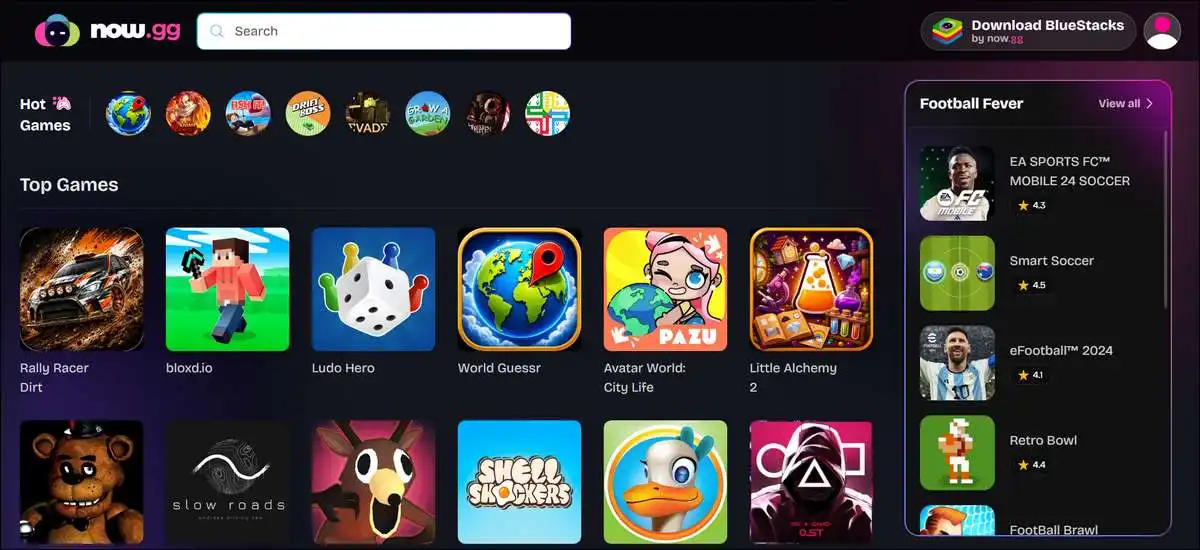
A lot of folks still turn to now.gg when they want to jump into Roblox without installing anything on their device. It streams the game from its servers straight to your browser.
This can work really well on school computers, Chromebooks, or older phones where downloads get blocked, or storage runs low.
That said, you may notice more ads or prompts for a paid plan these days. Performance mostly comes down to how steady your internet feels rather than the device you’re using.
What now.gg actually does with Roblox?
Here’s what it does in simple terms. now.gg runs Roblox on its own servers and just sends the video and sound to your browser. Your taps and clicks head back the other way.
Nothing actually installs on your device, so you can play on pretty much any computer or phone with a normal browser.
Roblox hit around 381.8 million monthly active users by the middle of 2026. Daily numbers sit near 132 million in recent reports.
That’s a big reason why quick browser options stay popular for so many players. You still log in with your regular Roblox account, and all your progress, items, and friends carry over just like they do on the official app.
Also read: List of Every Google Doodle Game Ever Made
Current access in 2026: what you can expect
Official pages still call it free. But here’s the thing you’ll hear from a lot of players right now.
Many people report seeing ads before the game loads or getting prompts to grab a paid plan called now Prime. You can often still play without paying, especially during quieter hours. On top of that, results can shift depending on your location and the time of day.
Free play is still around, but it isn’t always completely interruption-free anymore. It’s worth testing the flow yourself on your usual connection before you count on long sessions.

How you can get started with Roblox on now.gg
You can start in just a couple of minutes from most modern browsers. No special setup needed. Here’s how it usually goes.
- Open Chrome, Edge, Firefox, or Safari on whatever device you’re using.
- Head to now.gg and search for Roblox.
- Click the Roblox card and hit Play in Browser.
- You may see a short ad first, then just log in with your normal Roblox account.
- Pick any experience, and you’re in.
One thing to keep in mind: a subscription prompt can pop up during this process. If it does, you have the option to refresh the page or try again later. Clearing your browser cache helps some folks get past it.
Internet speed and device stuff that actually matters
When it comes to speed, here’s what tends to work best for most people. You’ll want at least 10 Mbps for comfortable play.
Lower speeds can still work for simpler games, but faster-action ones may feel laggy.
Here are the practical guidelines that show up again and again in user experiences:
- 5 Mbps or less often brings noticeable lag in most games.
- 10 to 15 Mbps handles casual play fine for the majority of experiences.
- 25 Mbps or higher with low ping usually gives the smoothest feel.
- Mobile hotspots can work in a pinch, but they use a ton of data and phones can get warm.
Desktop browsers often feel more responsive than phones for precise movement. Chromebooks do fine as long as the Wi-Fi stays steady. You can also close extra tabs before you start to free up a bit more bandwidth.
Performance you can expect once you’re in
In practice, you may find that casual games like roleplay and tycoons run pretty smoothly. Faster shooters or building-heavy experiences can show more delay because every input has to travel to the server and back. Graphics sometimes look sharper than on older phones since the servers handle the heavy lifting.
Battery drain and heat tend to stay lower than running Roblox directly on your phone. The trade-off is that data usage goes up during longer sessions. You’ll notice the biggest difference on weaker home networks or during busy evening hours.
The upsides and the real trade-offs
The biggest upside is instant access on devices where normal installs get blocked. You don’t use up storage space and you never wait for updates on your end. Your progress stays safe because it lives in your Roblox account.
That said, one thing you’ll want to keep in mind is how much it depends on your internet. If the connection drops or slows down, the game can stutter or stop. Rural spots and crowded public networks often give mixed results.
Another nice part is that you skip local compatibility headaches. The servers always run a current version. The flip side shows up when payment prompts interrupt free sessions or when small delays affect timing in competitive play.
Common issues and easy ways to handle them
A few things come up pretty often, and here’s how you can usually sort them out.
- Payment prompts show for lots of players these days. You can try playing during quieter hours or clear your browser cache and cookies first. Some folks switch browsers and that gets them through.
- Games sometimes stick on the loading screen. A quick refresh helps in most cases. After that, just check your internet speed with a fast test. Restarting your router fixes it for quite a few people too.
- You might see a message saying Roblox needs an update. This usually clears after a short wait since the servers handle it. Logging out and back in can also do the trick.
- Input delay shows up more in certain games. You have the option to lower graphics settings inside Roblox itself. A wired connection on desktop often feels better than Wi-Fi alone.
- School networks can sometimes block streaming traffic. It’s a good idea to check the school’s rules first. Bypassing filters can lead to restrictions on your account or device, so it’s worth thinking that through.
Safety side of things
On the safety side, you can feel pretty good about the streaming approach. It removes the risk of downloading anything harmful to your device. Roblox’s own safety tools like chat filters and parental controls keep working normally inside the session.
You still enter your Roblox login details through the browser window, though. It’s smart to use a strong password and turn on two-factor authentication on your Roblox account. You also have the option to avoid saving login info on shared computers.
now.gg says it doesn’t access your financial details beyond what’s needed for streaming. Real-world reports back up that malware concerns stay low with this method. The main ongoing caution is the same one you’d have with any browser login.
Also read: Pokedle Tips & Tricks
Which experiences tend to feel better
You’ll probably have the best time with roleplay, tycoon, and simulator games.
They usually handle small delays without breaking the fun. Many players enjoy Brookhaven-style worlds and pet or story experiences on the platform.
Obby courses and fast shooters can feel less enjoyable when lag creeps in. It’s worth testing a short session in your favorite game first. Results depend more on your connection than on the specific experience you pick.
How now.gg stacks up against other options
If you’re trying to decide between ways to play, here’s a quick look at how now.gg compares right now. This version keeps things easy to read even on a phone.
Quick Comparison of Roblox Access Options in 2026
Official Roblox App
- Install required: Yes
- Typical cost: Free with optional in-app purchases
- Best for: Lowest delay and full features when you can install
- Main trade-off: Uses storage space and needs updates on your device
now.gg
- Install required: No
- Typical cost: Free with ads or possible paid prompts
- Best for: School devices and zero storage use
- Main trade-off: Depends heavily on your internet and may show subscription prompts
Other browser options (like easyfun.gg)
- Install required: No
- Typical cost: Free with possible queues
- Best for: Quick sessions when now.gg feels limited
- Main trade-off: Users often report longer wait times these days
The official app still wins when your device lets you install. now.gg shines when you need access on restricted hardware. Other browser sites pop up in community chats, but they often come with their own wait times.
Also read: Wheon Subway Surfers For PC
Frequently Asked Questions
All in all
now.gg still helps a lot of players who need quick access on devices where normal installs aren’t possible. The no-download convenience and automatic progress are real pluses. At the same time, 2026 brings more frequent payment prompts and a clear need for steady internet.
You can try a short session first on your normal connection. Notice how it feels and whether any prompts show up. Then compare that with the official app on any device where you’re able to install it. A lot of people end up using the browser option only when they’re on restricted computers and switch back to the regular app at home.
It works best when it fits your specific situation rather than as a total replacement. Checking your internet speed and any local rules first can save you some frustration. If you’re thinking about giving it a shot, starting small is usually the easiest way to see if it’s a good fit for you.
![Wordle Solver: Try Hard Guides Tool + Data Strategies [2026]](https://www.techdemis.com/wp-content/uploads/2026/06/Try-Hard-Guides-Wordle-Solver-800x450.webp)


![Slot Gacor Microstar88.gcr: Games, RTP, Bonuses & Safety [2026]](https://www.techdemis.com/wp-content/uploads/2026/04/Slot-Gacor-Microstar88.gcr_-800x450.webp)