Remaker AI or Pica AI: Which AI Photo & Video Tool Fits Your Workflow?
If your work involves batch processing, video face swaps, or flexible one-time payments, Remaker AI often fits well. For quick photo fixes, old photo restoration, and predictable monthly costs, many people find Pica AI easier to start with. Your typical tasks and how often you use the tools usually indicate which one is the better match.
Both platforms handle face swaps and photo work. They differ mainly in how broad the features are and how you pay. This comparison draws on official sites and recent reviews so you can decide with clear information.
What Core Capabilities Does Remaker AI Offer Today?
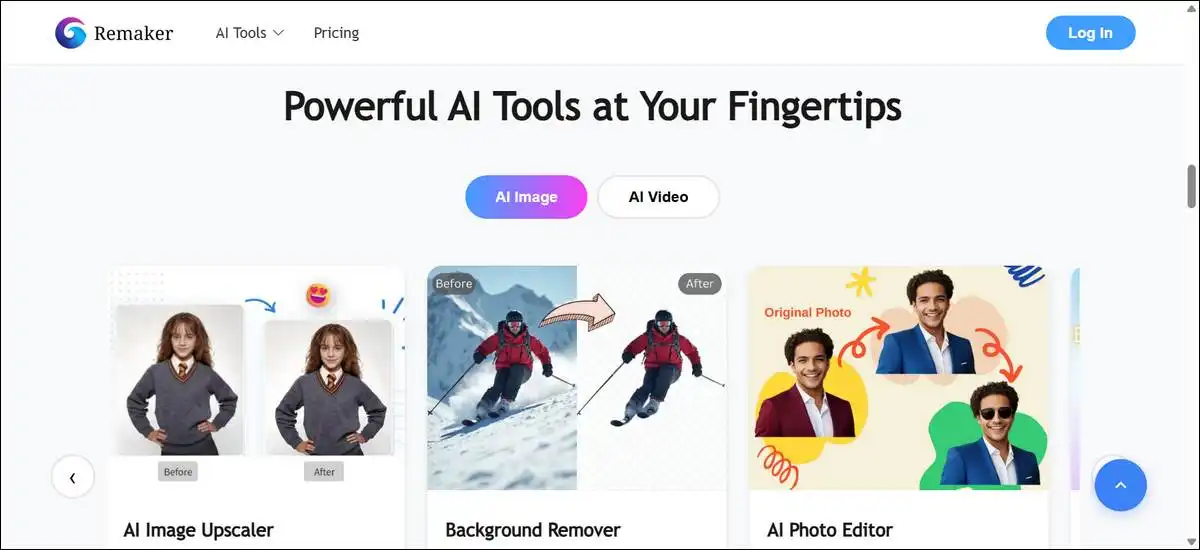
Remaker AI gives you a wide set of browser-based tools for both images and short videos. You can swap faces in photos or videos, edit images with text prompts, remove backgrounds in batches, upscale images, and even generate short video clips.
Most tools work without forcing you to sign up right away. Once you want more output, you buy credits in one-time packs that do not expire. The site mentions support across Windows, Mac, iOS, and Android.
Here are the main tools you can use:
- Face swap for single images, multiple faces, or whole batches of photos.
- Face swap inside video clips.
- Prompt-based editor where you type what you want changed or use a brush to edit objects.
- Background remover that handles many images at once.
- Image upscaler for sharpening lower-resolution files.
- Tools to generate short videos from text or images.
- Video enhancer to improve existing clips.
One independent review on Fritz.ai from January 2026 shared results from more than 80 hours of testing these features. The reviewer noted specific credit costs, such as 11 credits for one video model at 480p or 720p. These details help with planning, though real costs can vary with your images and current server conditions.
What Focused Tools Does Pica AI Provide After Its 2025 Update?
Pica AI keeps things simple and focused on photos. Its enhancer now uses the Artguru engine, as noted on the Pica AI website after the October 31, 2025 update. This change was meant to improve detail in enhanced or restored images.
You upload one or two photos, pick a tool, and get results quickly. There is also an iOS app for easier mobile use.
The main tools include:
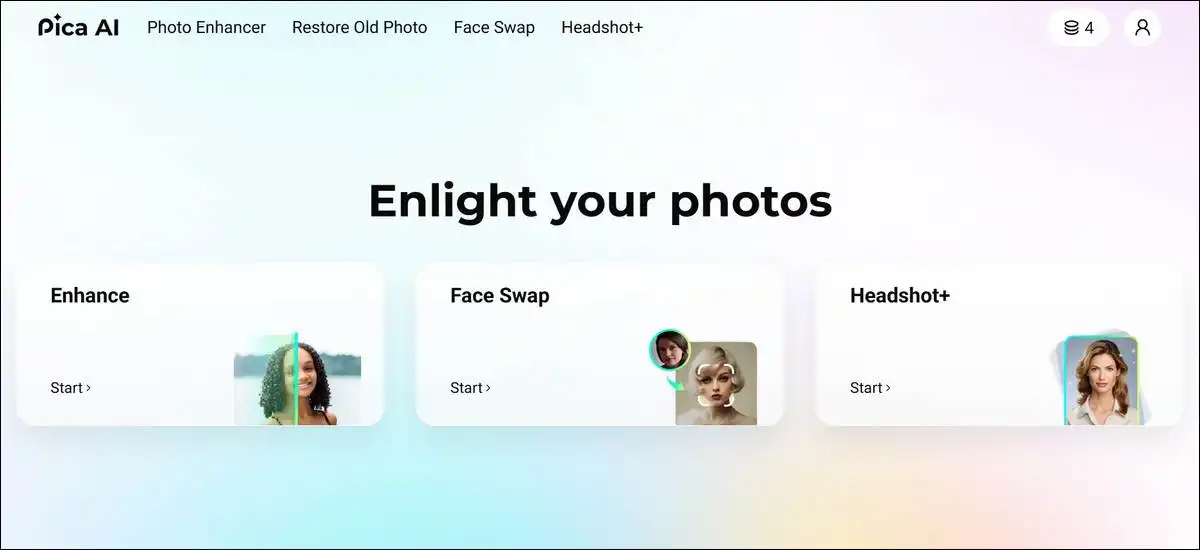
- One-click enhance for sharpening and recovering details.
- Face swap for single photos and limited multi-face swaps (around three faces).
- Dedicated restoration for old or damaged photos.
- AI headshot generator that turns selfies into professional-looking portraits.
Pica AI offers daily free credits that refresh. Paid plans use monthly or annual subscriptions for more credits, faster processing, and higher-quality exports without watermarks.
As per our research, most third-party analytics suggested roughly 754,000 monthly visits for the site around May 2026, though these are estimates and methods can differ across providers.
How Do the Two Tools Compare on Face Swap Performance?
Face swap results on both tools depend a lot on your input photos. Clear lighting and similar angles between source and target images usually give the cleanest swaps. Difficult angles or poor lighting can create blending issues on either platform.
Remaker AI supports single swaps, multi-face work, and batch swaps on photos. It also lets you apply face swaps to video. Reviews often note good consistency when lighting matches, though complex motion in video can soften details.
Pica AI focuses on quick single and multi-face swaps with some templates. Its multi-face option is more limited, typically around three faces. The strength here is speed and simplicity for smaller jobs.
Common patterns from reviews include these points:
- Both tools work best with well-lit, front-facing photos.
- Remaker AI handles larger batches more easily.
- Pica AI often feels faster for one or two quick swaps.
- Video face swaps on Remaker AI can handle longer clips but may lose fine detail with movement.
- Pica AI keeps video support to shorter clips.
A June 2026 comparison on TechAppraisal.com looked at these differences by task rather than giving exact success percentages. Because standardized tests with the same images are not widely published, it helps to upload a few of your own sample photos to both free tiers and see what you like best.
How Does Remaker AI Handle Video Tasks Compared with Pica AI?
Remaker AI includes several video options. You can generate short clips from text or images and also swap faces inside videos you upload. It has a separate enhancer for improving existing video files.
Pica AI stays focused on still photos for most tasks. Its video work is mainly quick face swaps on short clips rather than full generation or enhancement.
Key differences in video work show up here:
- Remaker AI supports generating new short videos and swapping faces in longer clips.
- Pica AI limits video to short face-swap clips.
- Credit use on Remaker AI rises with video tasks; one review listed models between 11 and 30 credits per short clip.
- Neither tool publishes detailed frame-by-frame quality scores for different types of motion.
The Fritz.ai review from January 2026 gave concrete examples of model names and credit amounts for video. Those numbers are useful for estimates, but your actual results can change with prompt style, image quality, and any updates to the models.

Visual suggestion: Show sample frames from a short video created or edited in Remaker AI. Alt text: Example frames of text-to-video and face-swapped video output from Remaker AI.
What Pricing Models Do Remaker AI and Pica AI Actually Use?
Remaker AI uses one-time credit packs that never expire. You pay once and use the credits whenever you need them. A free tier with daily limits is available for lighter testing, though some outputs may include watermarks or lower resolution.
Pica AI combines daily free credits with optional recurring subscriptions. Paid plans give you a set number of credits each month or year, plus faster processing and watermark-free, higher-resolution exports.
Current pricing follows these general patterns (always check the official sites for the latest details, as packs can change):
- Remaker AI offers packs starting around $5.99 for 200 credits and $9.99 for 530 credits, with larger options up to $299 for 20,000 credits.
- Pica AI monthly plans are near $9.99 for 1,000 credits, with an annual option around $59.99 for 8,000 credits.
- Both have free tiers, but they limit daily volume or quality until you upgrade.
- Video and advanced edits usually use more credits than basic face swaps or simple enhancements.
These numbers come from the official Remaker AI and Pica AI sites and line up with what recent reviews report as of mid-2026. Because exact credit use per task is not always listed in one public table, testing with small purchases or subscriptions against your real monthly volume works well for most people.
Here is a simple pricing overview formatted for easy reading on mobile:
| Tool | Pricing Model | Starting Example |
|---|---|---|
| Remaker AI | One-time credit packs | $5.99 for 200 credits |
| Pica AI | Monthly or annual subscription | $9.99 per month for 1,000 credits |
Tip: Scroll the table horizontally on smaller screens if needed. Prices are approximate and current as of June 2026.
How Much Do These Tools Actually Cost for Different User Types?
Your total spend depends on how many tasks you run and which features you use most. The examples below use patterns reported in reviews. They are meant as rough guides because official per-task credit lists are not complete for every option.
For light users (around 10–20 photo edits per month):
- Remaker AI free tier plus one small pack often covers several months.
- Pica AI daily credits plus the monthly plan gives steady access without tracking balances.
- The subscription can feel simpler if you edit regularly but lightly.
For creators (50–100 mixed photo and some video tasks):
- Remaker AI credit packs scale with your activity; a mid-size pack can last active weeks.
- Pica AI plans provide consistent capacity but may leave unused credits if video work is occasional.
- Video tasks on Remaker AI can use credits faster, so planning helps.
For higher-volume users (hundreds of images for batch work):
- Remaker AI batch tools plus larger packs usually lower the cost per image.
- Pica AI single-task focus can feel slower and more expensive at high volume.
- Batch strength gives Remaker AI an edge for repetitive jobs like product photos.
These examples rest on reported credit ranges and subscription rates. Actual numbers vary with image complexity and model choice. Running the same small set of your own files on both free tiers and noting real usage is the most reliable way to compare costs for your situation.
Who Benefits Most from Remaker AI’s Broader Toolkit?
Remaker AI tends to work well if you regularly need more than basic swaps. Batch processing, video options, prompt edits, and API access add value for certain workflows.
It often suits these situations:
- Social media creators who turn photos into short video clips.
- Sellers who remove backgrounds or upscale product images in batches.
- Marketers experimenting with generative edits or consistent portraits.
- Developers interested in integrating editing tools through an API.
- Anyone who prefers buying credits once and using them over time without monthly fees.
Reviews have highlighted the flexibility for mixed photo and video projects. Some also mention occasional downtime or slower support as things to keep in mind. The credit system rewards a bit of planning, especially for video-heavy work.
Who Benefits Most from Pica AI’s Streamlined Approach?
Pica AI works well for people who want fast, simple photo corrections without managing credits or complex menus. The focused tools reduce extra steps for everyday photo tasks.
It often suits these situations:
- Restoring old family photos or sharpening personal images.
- Creating quick professional headshots from selfies.
- Casual users who do a few face swaps or enhancements each week.
- Mobile users who like the iOS app for on-the-go edits.
- People who prefer predictable monthly billing.
The Artguru update improved enhancement clarity according to the site. Independent reviews after the change are still building, so results can vary.
For straightforward restoration, many users report good outcomes, though the narrower set of tools limits broader experimentation.
How Can You Decide Between Remaker AI and Pica AI in Five Minutes?
Answer these questions in order. Your pattern of answers usually points to the tool that will feel easiest and most cost-effective for you.
Quick checklist to try:
- Do you often edit more than 30 images in one session? Remaker AI batch tools can help here.
- Do you need face swaps in videos longer than a few seconds? Remaker AI has more video options.
- Do you like one-time payments with credits that do not expire? Remaker AI matches this style.
- Do you mainly restore old photos or make headshots from selfies? Pica AI has dedicated tools for these.
- Do you want a simple interface and mobile app with little setup? Pica AI keeps things shorter.
- Do you generate short videos from text or images? Remaker AI includes those generators.
- Do you prefer steady monthly billing over tracking credit balances? Pica AI subscriptions can feel more predictable.
It helps to test both free tiers with three of your typical images or clips. Compare quality, speed, and how easily you reach a result you like. Direct trials with your own files usually give clearer answers than general advice, since every workflow is a bit different.
What Limitations and Practical Risks Appear in Real Use?
Both tools have some limitations that reviews and user feedback often mention. Knowing them ahead of time can help you avoid surprises.
Remaker AI limitations that come up include:
- Occasional downtime that can interrupt batch or video jobs.
- Credit use that adds up quickly with video or complex generative edits.
- Mixed upscaler results on some low-resolution inputs, based on extended testing reports.
- Support response times that some users describe as slower.
- Small branding notes, such as internal names for the face swap tool, that can confuse new users at first.
Pica AI limitations tend to center on scope:
- Multi-face swaps usually limited to around three faces per image.
- Video tools mainly for short face-swap clips rather than generation or heavy enhancement.
- Free tier limits that refresh daily but can feel restrictive for daily high volume.
- Dependence on the Artguru engine for enhancement, with fewer independent comparisons available right after the 2025 update.
No tool gives perfect results on every photo. Both platforms delete uploads after processing, but it is worth reviewing the exact timelines on each site before uploading personal or sensitive images.
What Ethical and Privacy Considerations Apply to These AI Editors?
Face swap and generative tools can create realistic edits, so consent and data handling matter. Both platforms work in an area where outputs could be misused if not handled carefully.
Practical points to keep in mind:
- Ask for clear permission before swapping faces of people you know, especially if sharing publicly or commercially.
- Read the terms on each site about commercial use rights and who owns the final images.
- Check data deletion timelines; some comparisons have noted shorter windows on Pica AI for certain uploads.
- Think about whether your images contain sensitive or identifiable details that need extra care.
- These tools are best viewed as creative aids rather than sources for official or high-stakes identification work.
Responsible use starts with how you choose inputs and how you plan to share the results. The platforms have basic filters, but the choices you make matter most.
What Practical Tips Improve Results on Either Platform?
Good preparation often makes more difference than the tool itself. These habits tend to help on both Remaker AI and Pica AI.
Helpful practices include:
- Use well-lit photos with similar angles between source and target for cleaner face swaps.
- Follow any size or format suggestions the interface gives.
- Test a few files on the free tiers before buying credits or a subscription.
- For Remaker AI prompt edits, start with short, specific instructions about the exact change you want.
- For Pica AI restoration, start with the highest-resolution original you have so the engine has more information to work with.
- Save successful outputs right away, especially on free tiers where storage time can be limited.
Trying your own images on both platforms quickly shows which one feels more natural for your style of work. Keeping simple notes on time and credit use can guide future choices.
Which Tool Should You Try First?
Start with the free tier of the tool that matches your most common task. If batch work or video appears often, begin with Remaker AI. If quick photo restoration or simple swaps make up most of your needs, Pica AI daily credits and the monthly plan are easy to explore.
Upload the same small set of your files to both and compare the outputs side by side. The one that gives you acceptable quality with less back-and-forth usually earns the first paid step.
Features and pricing can shift with updates, so it is worth checking the official sites every few months and retesting with fresh samples. Your own usage notes remain the most practical guide for finding the long-term fit that works for you.