Top 5 Free Ghibli AI Generators (2026)

You don’t need any design skills to create Ghibli kind of art. And you definitely don’t need to pay for it. There are several free AI tools that can turn your everyday photos — or even a simple text description — into stunning Ghibli-style artwork in seconds.
In this list, we gather about five best Ghibli AI Generator Free websites that are actually work in 2026, what makes each one worth trying, and who each tool is best suited for.
What Makes Ghibli-Style Art So Special?
Before we get into the tools, it’s worth understanding why this style becomes so popular among people around the world.
Studio Ghibli, founded in 1985 by Hayao Miyazaki, has produced some of the most visually rich animated films ever made. Think lush forests, glowing skies, cobblestone towns, and characters with expressive eyes that feel almost alive.
The studio’s art is defined by hand-drawn animation, soft watercolor textures, warm pastel color palettes, and a very intentional sense of quietness — like every frame is a painting you’d want to hang on your wall.
That aesthetic is hard to replicate manually. But AI has gotten surprisingly good at capturing it. Modern AI image tools trained on Ghibli-inspired artwork can now reproduce those soft, painterly qualities with impressive accuracy — and in a matter of seconds.
The 5 Best Free Ghibli AI Generators

1. Fotor — The Most Versatile Pick
Website: fotor.com/features/studio-ghibli-filter/
If you’re looking for one tool that does the most, Fotor is probably it.
Fotor is primarily known as an online photo editor, but its Ghibli AI generator has become one of its most popular features. The process is simple — you upload a photo, apply the Ghibli filter, and the AI analyzes and transforms your image in under 10 seconds. No prompts required. No design experience needed.
What makes Fotor stand out is the range of content it handles well. It’s not just for selfies. It works on group photos, landscapes, pet photos, meme images, and even buildings. The AI adapts the Ghibli aesthetic to whatever subject you give it. So whether you’re trying to see what your dog would look like in My Neighbor Totoro or what your hometown looks like as a Miyazaki setting, Fotor handles it.
But here’s the feature that really separates it from most other free tools: Fotor also offers a Ghibli-style video generator. You can upload an image or type a text prompt, and it will generate a short animated clip in the Ghibli aesthetic. That’s a meaningful capability, and it’s part of the free offering.
The free tier does have limits on how many images you can generate, but for casual use — a few images a week — you won’t run into a wall quickly. No account is required to get started.
Best for: Anyone who wants an all-in-one tool that handles photos, text prompts, and even video without needing to learn anything new.
2. Getimg.ai — The Best for Image Quality
Website: getimg.ai/models/ghibli-diffusion
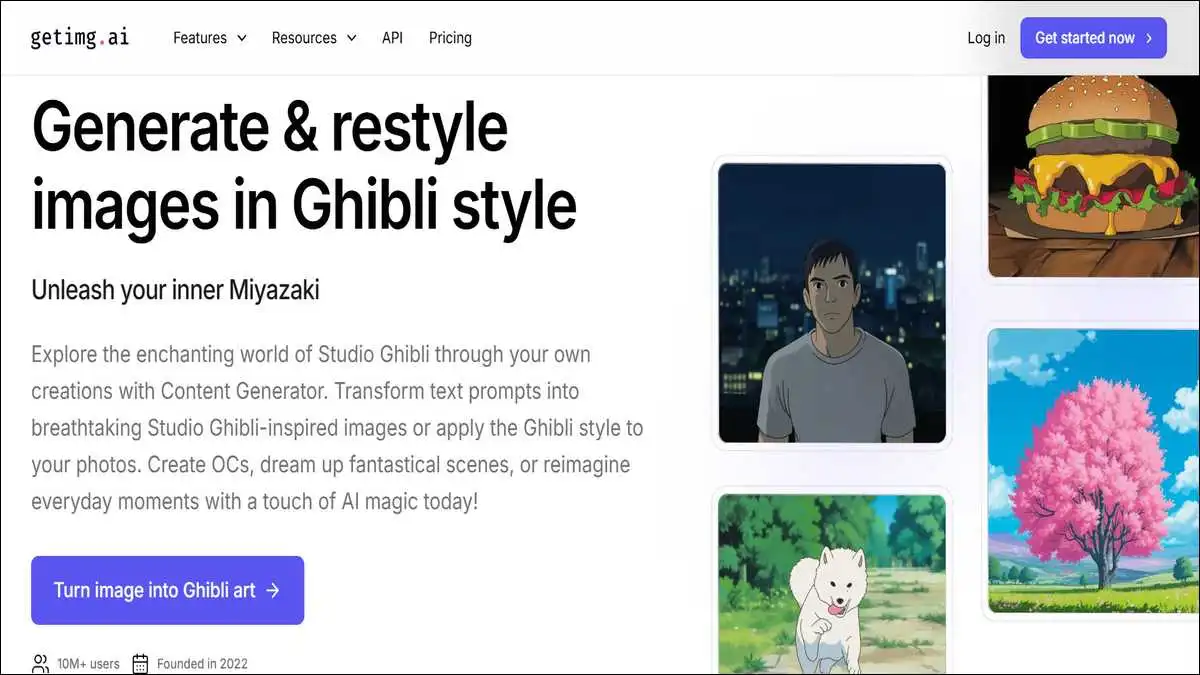
Most Ghibli AI tools apply a generic anime-style filter to your image. Getimg.ai does something different. It uses a dedicated Ghibli Diffusion model — a machine learning model that was specifically fine-tuned on Studio Ghibli’s visual characteristics, not just anime art in general.
What that means in practice is that the output looks more authentic. The soft watercolor textures, the hand-painted cloud formations, the cel-shading gradients — these are details that generic filters tend to miss. Getimg.ai captures them more reliably.
The free tier is genuinely generous here: 100 images per month, no credit card required. That’s more than enough for most people, and it covers both text-to-image and image-to-image generation. So you can either upload a photo and have it transformed, or describe a scene entirely in words — “a young girl standing in a flower field at dusk, soft Ghibli-style lighting” — and let the AI build it from scratch.
You can also upload a reference image to guide the style more precisely. That’s a useful feature if you have a specific Ghibli film aesthetic in mind — say, you want the warm earth tones of Princess Mononoke rather than the pastel softness of Kiki’s Delivery Service.
The interface is browser-based and requires no downloads. The learning curve is slightly higher than Fotor because it benefits from more thoughtful prompting, but for anyone who wants better results, it’s worth the extra minute of setup.
Best for: Users who care most about output quality and want a purpose-built Ghibli model rather than a generic style filter.

3. insMind — The Best for Portraits and Social Media
Website: insmind.com/studio-ghibli-filter
insMind is built for speed and simplicity, and it shows. The interface is clean, the generation is fast, and the results are especially strong for portrait-style images. If your goal is to turn a selfie or a photo of someone you know into a Ghibli character, insMind is one of the most reliable options for that specific use case.
The tool enhances facial features in a way that feels consistent with the Ghibli aesthetic — softened skin tones, expressive eyes, detailed hair — without making the subject unrecognizable. That balance is harder to achieve than it sounds, and insMind handles it well.
One feature worth highlighting is the reference image support. You can upload a second image to tell the AI exactly what visual style you’re going for. Want your photo styled specifically like a scene from Howl’s Moving Castle? Upload a still from that film as a reference. This gives you a level of creative control that most free tools don’t offer.
insMind also supports text-to-image generation, so you’re not limited to photo uploads. It supports over 30 AI filter styles beyond Ghibli — Cartoon, Anime, Disney, and more — so it’s a tool you’ll find uses for beyond this one trend.
Also read: What is Edge AI? How It Works, Examples
Best for: Social media creators, people who want to Ghibli-fy portraits and profile pictures, and anyone who wants creative control over the output style.

4. Bing Image Creator — The Most Powerful Free Model
Website: bing.com/images/create/ai-image-generator
Here’s the thing about Bing Image Creator that most people don’t fully appreciate: it’s powered by DALL-E 3 and Microsoft’s MAI-Image-2 model. That puts it in the same league as tools that cost money — and it’s completely free.
Unlike the other tools in this list, Bing Image Creator is a text-to-image generator. You don’t upload a photo here. Instead, you describe what you want in plain language, and the AI generates it. For Ghibli-style images, that means writing prompts like: “a quiet Japanese town on a rainy afternoon, soft watercolor textures, Studio Ghibli anime style, warm lantern light, hand-painted feel.”
The more specific your prompt, the better your result. You can reference specific Ghibli film aesthetics (“in the style of Spirited Away” or “inspired by Castle in the Sky”), specify lighting, mood, time of day, and composition.
The free tier gives you 15 to 20 fast “Boosts” per day. Once those run out, generations take a little longer — maybe a minute or two — but you can still generate as many images as you want. There’s no hard daily cap that blocks you entirely.
The only real requirement is a free Microsoft account. If you already use Outlook, OneDrive, or any Microsoft product, you already have one.
One practical tip: Bing Image Creator works best when your prompts are detailed and structured. A vague prompt like “Ghibli landscape” will give you a decent result, but a prompt that describes a specific scene, lighting condition, and mood will give you something genuinely impressive.
Best for: Users who are comfortable with text prompts and want the most powerful free AI model available for generating original Ghibli-inspired scenes from scratch.
5. Pixelbin.io — The Best for Clean, No-Fuss Downloads
Website: pixelbin.io/ai-tools/ghibli-style-image-generator
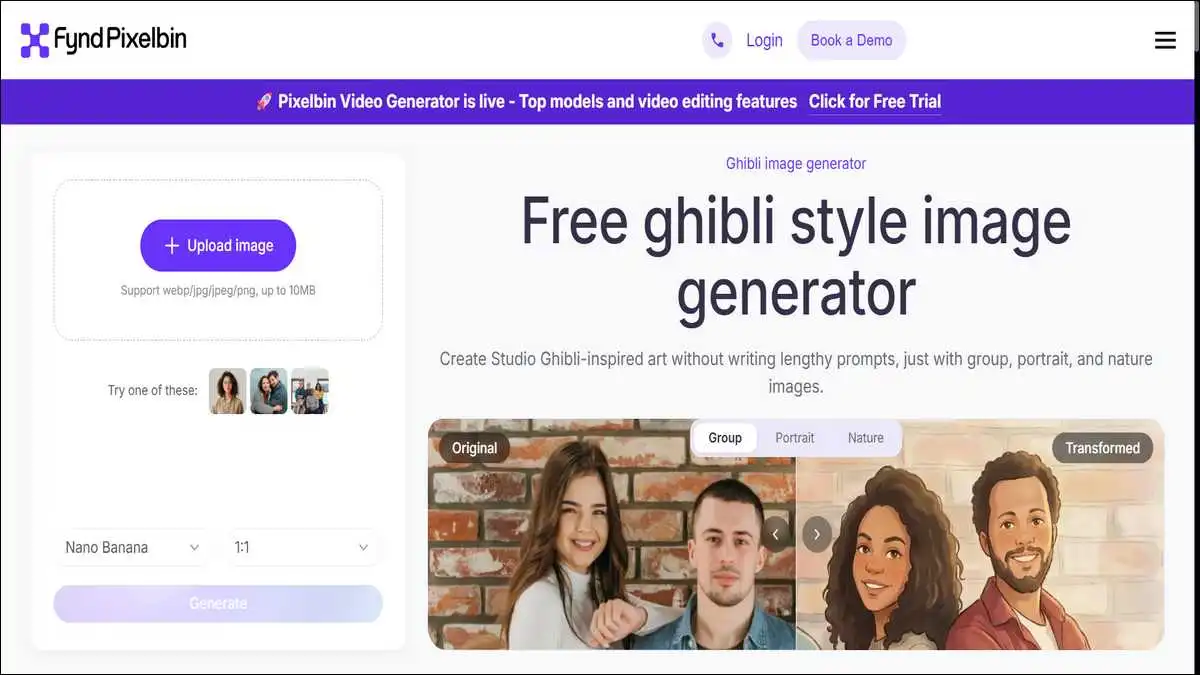
Pixelbin.io occupies a unique space in this list. It’s not the most feature-rich tool. It doesn’t have text-to-image generation. But it solves a specific problem that a lot of free tools create: watermarks.
Most free AI image generators stamp their logo or a watermark on your finished image. You then have to pay to remove it. Pixelbin gives you clean, HD-quality downloads with zero watermarks — even on the free tier, and even without creating an account.
The process is as simple as it gets. You upload a photo (JPG, PNG, or WEBP, up to 10 MB), the AI transforms it into Ghibli-style art automatically, and you download the result. No prompts or settings to fiddle with. And no account required for basic use.
Without signing up, you get one free generation per month. If you create a free account, you get 10 credits that you can use across all of Pixelbin’s AI tools — not just the Ghibli generator. That’s a fair amount of free use for anyone who just wants to experiment occasionally.
Pixelbin also puts a genuine emphasis on privacy. Your uploaded images are handled securely and not used in ways that could expose personal photos. For anyone uploading photos of themselves or their family, that’s a meaningful consideration.
Best for: Anyone who wants quick, clean, watermark-free Ghibli images for sharing or printing, without dealing with complicated settings or account requirements.
Here’s Complete Comparison Of These Sites:
Here’s a quick snapshot to help you decide which tool fits your situation:
| Tool | Free Images | Account Needed | Input Type | Watermark-Free |
|---|---|---|---|---|
| Fotor | Limited free tier | No | Photo + Text | Yes |
| Getimg.ai | 100/month | No (no card needed) | Photo + Text | Yes |
| insMind | Free tier | No | Photo + Text | Yes |
| Bing Image Creator | 15–20 fast/day, unlimited slow | Free Microsoft account | Text only | Yes |
| Pixelbin.io | 1/month (10 with free signup) | Optional | Photo only | Yes |
Tips for Getting Better Results
Regardless of which tool you choose, a few small habits will make a noticeable difference in the quality of your output.
First, use well-lit, clear photos. If you’re uploading a photo, images with good lighting and simple backgrounds tend to produce sharper, more accurate Ghibli transformations.
Second, be specific with your text prompts. If you’re using a text-based tool like Bing Image Creator or Getimg.ai, words like “soft watercolor textures,” “warm pastel palette,” “hand-painted details,” “dreamy atmosphere,” and “Miyazaki-style lighting” all help steer the AI in the right direction.
Using a specific Ghibli film reference like— Spirited Away, My Neighbor Totoro, Howl’s Moving Castle — also helps.
Third, go for multiple generations. AI image tools produce slightly different results each time. If your first output doesn’t feel right, try again with the same prompt or make a small adjustment. The second or third attempt is often noticeably better.
And finally, portraits and half-body images tend to work better than wide group shots or highly complex scenes. The more elements the AI has to manage, the harder it is to maintain the Ghibli aesthetic across the whole image.
Also read: Undress AI: Privacy, Potential, and Public Concern
Which One Should You Start With?
If you want the simplest possible experience with the broadest range of features, start with Fotor. It handles almost any type of image and even lets you create Ghibli-style videos.
If image quality is your top priority and you’re willing to spend a few minutes crafting a good prompt, go with Getimg.ai. The dedicated Ghibli Diffusion model produces results that are noticeably more faithful to the real Ghibli aesthetic.
If you want to generate original scenes from scratch using just your words — and you want the most powerful free AI model to do it — Bing Image Creator is your best bet.
And if you just want a quick, clean, watermark-free result without creating any accounts or learning any tools, Pixelbin.io gets the job done with the least friction of all.
The Ghibli AI trend shows no signs of slowing down. These five tools give you everything you need to participate in it — and to create work that actually looks good — without spending a single rupee.