FreeBrightSoft.com In 2026: Current Status + Top Alternatives

FreeBrightSoft.com returns a 503 Service Unavailable error right now. The site that promoted free WordPress themes, Blogger templates, and Elementor resources is now offline. Users searching this website usually want working themes without hidden problems.
In this guide, we explain what the site claimed to offer, cover the current status and detail real risks tied to similar platforms. We gather safer and legal alternatives that actually work in 2026.
What Exactly Was FreeBrightSoft.com?
FreeBrightSoft.com was a website that offered free WordPress and Blogger themes plus templates. Although the website doesn’t work anymore, its Instagram account still promotes Elementor resources and source code downloads. Some older mentions described broader software and media content.
The site mixed theme offers with random blog posts in the past. Links appeared in unrelated social media threads as early as 2022. This pattern matches many low-quality download platforms that chase traffic through multiple niches.
- Core claim: Users could grab premium-looking themes for free.
- Reality check: Most such sites host or link to nulled versions of paid themes. Nulled files remove license checks. They often carry extra code.
The platform never published clear author details or update policies. Contact information stayed minimal or missing. These traits appear across many similar “free premium” download sites.
Is FreeBrightSoft.com Still Working in June 2026?
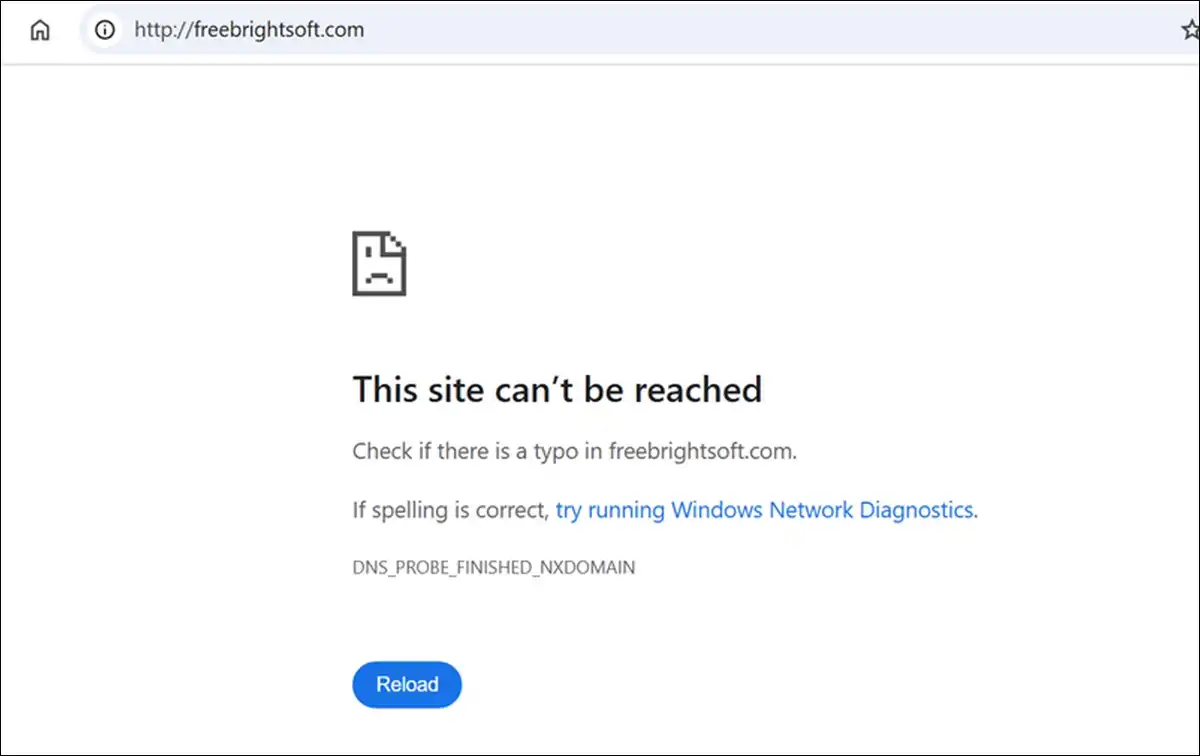
The website currently returns a 503 Service Unavailable response. Direct tests confirm the error on the main domain. No redirect to a working mirror or new address shows up.
Older domain analysis pages listed an Alexa rank near 152,000. That metric stopped updating years ago. It no longer reflects real traffic. The site also appears in several ad and malware filter lists used by browser extensions.
Instagram promotion continues. The account still posts about free themes and templates. Yet the actual download site stays unreachable. Users who bookmarked pages or followed old links now hit dead ends.
This outage fits a common pattern. Many risky download platforms face hosting complaints or sudden shutdowns. They rarely announce changes or provide migration help.
What Risks Come With Sites Like FreeBrightSoft.com?
Nulled or cracked themes carry documented security problems. Hidden backdoors and malware appear in multiple community tests. These files bypass official update channels completely.
Google can blacklist infected sites. Visitors then see malware warnings in search results. Recovery often requires professional cleanup and hosting provider intervention. Business sites face extra damage through lost trust and sales.
Legal issues add another layer. Premium themes carry copyright protection. Downloading or using nulled copies violates those terms. Theme authors and marketplaces actively pursue enforcement in serious cases.
Performance suffers too. Extra hidden code slows page loads. It creates conflicts with current WordPress versions and plugins. Long-term maintenance becomes harder without official support.
Edge case: Personal blogs sometimes run for months without visible issues. The malware stays dormant until triggered by updates or traffic spikes. Business or e-commerce sites rarely get that grace period.
Reports from WordPress security communities show nulled themes frequently contain hidden code. The exact percentage of infected files remains undisclosed in most analyses. One test mentioned in community discussions flagged malware in several sampled nulled plugins. This suggests the risk stays real but hard to quantify precisely across all files.
How Can You Spot Risky Theme Download Sites?
Aggressive pop-ups and survey walls signal monetisation pressure over user safety. Sites that push “nulled,” “cracked,” or “premium free” wording operate in grey areas. Lack of HTTPS, clear privacy policies, or author contact raises immediate flags.
Filter list presence offers another clue. Multiple ad-blocking and security tools block domains associated with intrusive ads or known malware distribution. Appearance on those lists does not prove guilt. It does indicate community concern.
Reputable sources never require unusual permissions or third-party download managers. They link directly to official repositories or their own verified files. They also publish update histories and compatibility notes.
Quick checklist before downloading any theme:
- Does the site use clear HTTPS and published policies?
- Does it avoid “nulled” or “cracked” language?
- Can you verify the theme author through official channels?
- Does the platform appear in security filter lists?
- Do recent user reports mention malware or redirects?
Which Free WordPress Themes Actually Perform Well in 2026?
WordPress.org lists thousands of free themes in its directory. While, there are over 14,000 while the visible directory count sits near 8,200.
The number shifts based on filters for block themes or active status. Independent theme review sites usually report between 9,000 and 10,000 vetted options.
Several themes stand out in 2026 testing for speed, SEO, and builder compatibility. They receive regular updates from established teams.
They avoid the hidden code problems common in nulled files.
Comparison of Top Free Themes (2026)
| Theme | Best For | Page Speed | Elementor Support | Customization Level | Update Frequency | Notes |
|---|---|---|---|---|---|---|
| Astra | All-purpose sites | Excellent | Strong | High | Regular | Lightweight starter with many starter templates |
| GeneratePress | Performance-focused blogs | Excellent | Good | High | Regular | Minimal bloat, strong developer community |
| Kadence | Modern business sites | Very Good | Excellent | Very High | Regular | Built-in header/footer builder in free version |
| Neve | Fast-loading content sites | Excellent | Strong | Medium-High | Regular | AMP ready and highly optimised |
| Blocksy | Block editor users | Excellent | Good | High | Regular | Deep integration with WordPress blocks |
These themes come directly from their authors or the official directory. They include free versions that handle most personal and small business needs. Paid upgrades unlock advanced modules when required.
Astra and Kadence both ship with large libraries of starter templates. Many work with Elementor out of the box. Users can launch professional layouts in minutes without touching code.

How Do You Safely Install a Free Theme from Official Sources?
Start at the official WordPress theme directory or the theme author’s verified site. Search for the exact theme name. Confirm the developer matches the known author.
In your WordPress dashboard, go to Appearance > Themes > Add New. Use the search bar. Click Install and then Activate. The process takes under a minute for clean files.
After activation, run a full site backup first. Test the theme on a staging site when possible. Check for plugin conflicts before going live.
Recommended security steps after install:
- Install a reputable security plugin such as Wordfence or Sucuri.
- Enable automatic updates for themes and plugins.
- Scan the site with a malware detection tool.
- Monitor Google Search Console for any security notices.
- Remove unused themes and plugins immediately.
Never upload theme files downloaded from third-party sites directly. Even zip files from unknown sources can contain hidden scripts. Official channels deliver clean, updated packages.
What Are the Best Ways to Get Premium Features Without Legal or Security Risks?
Many premium features now exist in free tiers or low-cost add-ons. Astra offers pro modules for headers, footers, and advanced layouts. Kadence includes a powerful free header builder that covers most needs.
Elementor works well with the themes listed above. The free Elementor plugin plus a compatible theme delivers drag-and-drop design without nulled page builder versions. Paid Elementor Pro adds extra widgets when you outgrow the free set.
Official theme shops and marketplaces provide refund policies and ongoing support. They also maintain compatibility with new WordPress releases. This support path saves time compared with troubleshooting nulled code conflicts.
Practical path for most users:
- Install a top free theme from the list above.
- Add the free Elementor plugin if visual editing is required.
- Use official starter templates or patterns.
- Upgrade only the specific modules you actually need later.
This route keeps your site secure and update-friendly. It also avoids the hidden costs that appear months after a nulled install.
What Should You Do If You Already Downloaded Files from FreeBrightSoft.com?
Stop using any files downloaded from the site, and from the similar ones. Delete them right from your server and local computer. After that, run a full malware scan on any site where you installed them.
- Also, change all passwords connected to that WordPress install.
- Review user accounts for unknown additions.
- Check recent file modifications through your hosting file manager or security plugin.
Consider a clean reinstall of WordPress and a fresh theme from official sources. Import content only after verification. This approach removes most hidden code risks.
Monitor the site closely for the next several weeks. Watch for unusual redirects, spam comments, or performance drops. Early detection limits damage.