Google Patches Actively Exploited Chrome Zero-Day in Latest Browser Update
Google shipped an emergency security update for Chrome on Tuesday, patching a zero-day vulnerability — a flaw attackers exploit before a vendor can fix it — that bad actors are actively using against users right now.
The fix arrives in Chrome 149, specifically builds 149.0.7827.102 and 149.0.7827.103 on Windows and macOS, and build 149.0.7827.102 on Linux.
The Exploited Flaw
Google confirmed the vulnerability, tracked as CVE-2026-11645, as an out-of-bounds memory access flaw inside V8 — Chrome’s JavaScript engine — and acknowledged that an exploit already exists in the wild.
Attackers can trigger the flaw by luring a user to a malicious webpage, whether delivered through a phishing email, a rogue advertisement, or a social media link.
Once triggered, the exploit attempts to break out of Chrome’s browser sandbox — the security boundary isolating web content from the rest of a device’s operating system — potentially allowing attackers to run arbitrary code on the underlying machine.
Google is withholding full technical details of the flaw while users update and while other browser vendors prepare their own patches.
Broader Security Overhaul
Beyond the zero-day, this release bundles 74 security fixes in total.
Among the most severe are 12 critical “use after free” bugs — a class of memory corruption flaw where a program continues referencing memory it has already released — spanning Chrome components including Bluetooth, Autofill, Printing, Compositing, and the browser’s TabStrip interface.
Researchers reported several of those flaws through Google’s bug bounty program, with CVE-2026-11645 alone earning a $55,000 reward.
Google noted that a prior Chrome 149 build had already addressed 429 separate security issues. Even so, the latest batch matters: attackers routinely chain multiple smaller weaknesses together to achieve a full system compromise.
How to Update
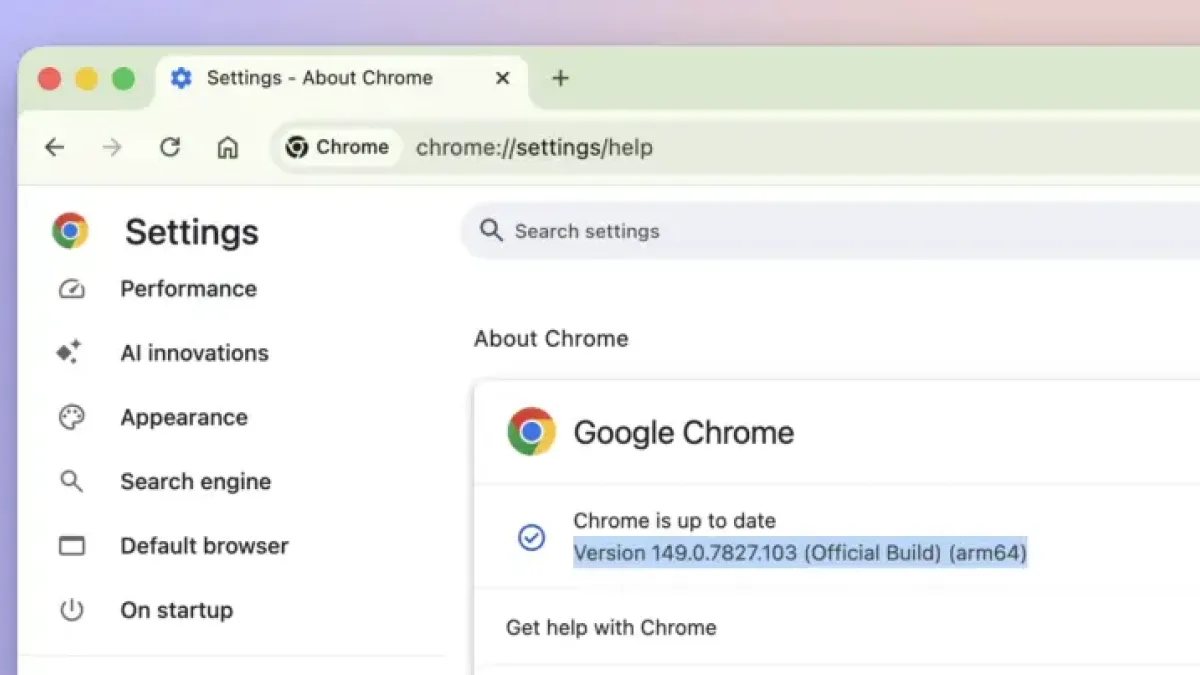
On desktop, users can navigate directly to `chrome://settings/help` in the address bar. Chrome will check for the latest version, download it automatically, and prompt a relaunch to apply the patch.
Alternatively, click the three-dot menu in Chrome’s top-right corner, select Help, then About Google Chrome, and follow the same steps.
Android users should open the Google Play Store, navigate to Manage Apps and Device, locate Chrome in the available updates list, and tap Update. Closing and reopening the browser afterward ensures the new version takes effect.
Edge Still Behind
Microsoft has not yet issued a corresponding security update for Edge, which shares Chrome’s underlying Chromium codebase, meaning some previously patched Chrome vulnerabilities remain unaddressed in Edge.
Chrome commands roughly 65 percent of the global browser market, according to StatCounter, making rapid patch adoption across its user base a significant factor in limiting attacker exposure.