InSnoop Review: Does This Anonymous IG Story Viewer Actually Work? (Tested + Alternatives Compared)
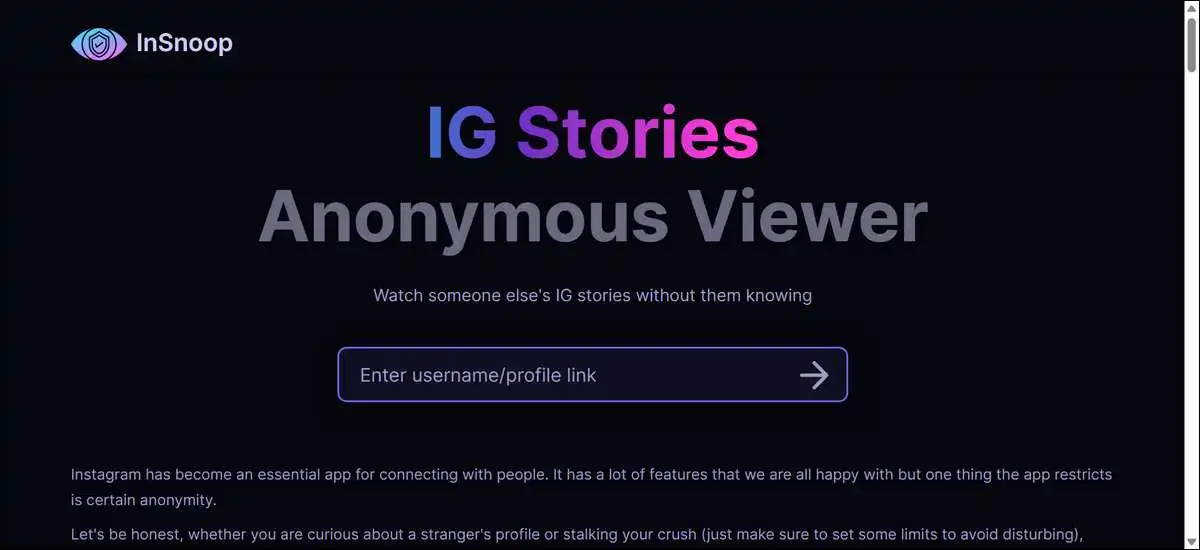
Many people want to check Instagram stories without the owner knowing they’ve looked. InSnoop gives you one free way to do this for public profiles. This review shares what the tool does well, where it falls short in real tests, and how it compares with similar services in 2026.
You don’t need an Instagram account to try it, just visit the site, type in a username, and view stories if the profile is public. Also, you can download them in standard formats when everything works smoothly.
Key Findings
Here are the main things we’ve found from tests and data:
- InSnoop works for viewing and downloading stories from public Instagram accounts without needing your own account.
- It doesn’t work with private accounts at all.
- Reliability changes from day to day. Some sessions load fine while others show errors.
- The site saw roughly 1.1 to 1.75 million visits per month based on mid-2026 traffic reports.
- Anonymity usually holds when a session succeeds because the tool acts as an intermediary.
- Downloads save as JPEG photos or MP4 videos with decent quality.
- Instagram rules don’t allow tools that hide views from the normal system. This puts the service in a gray area.
- Other tools like StoriesIG often show better day-to-day stability in recent user reports.
- The tool fits occasional personal use better than heavy daily monitoring.
- Keeping one or two backup tools ready helps when one service has problems.
These points come from the official site, independent tests published in 2026, and public traffic data.
Let’s look at how the tool actually works in practice.
What Is InSnoop and How It Works
InSnoop is a free website that lets you view stories and highlights from public Instagram profiles without logging in. It runs right in your browser on your phone, tablet, or computer.
The tool requests the public content through its own servers. This step helps keep your view from showing up in the original poster’s seen list when it loads successfully. You just type a username or paste a link and hit search.
When it works, stories appear in a clean viewer. You have the option to browse highlights as collections too. No sign-up or app download is required.

Features You Can Use Today
You can view active stories and highlights from any public profile. Both options work without needing to log into Instagram yourself.
You have the option to download photos and videos. Images save as JPEGs and videos as MP4s. The quality stays close to the original in most cases where it loads.
It runs on any modern browser across devices and stays simple with few extra buttons. Everything’s free with no paid upgrades for basic use.
Here are some really helpful features that I really like about this tool:
- View active 24-hour stories from public accounts
- Browse and view Highlights collections
- Download photos as JPEG and videos as MP4
- Clean interface without Instagram’s usual clutter
- Works on desktop, tablet, and mobile browsers
Does InSnoop Keep You Anonymous?
InSnoop keeps your view hidden from the profile owner in most sessions that load successfully. The owner won’t see your name pop up in their viewer list.
One test back in 2026 loaded full stories from a public account on the first try, and the tester confirmed their name stayed out of the seen list. But the same account gave a server error the next day on both main domains.
Anonymity depends on the tool reaching Instagram’s public data without running into blocks. Instagram updates its systems pretty often, which can interrupt access. Most people still get the privacy they expect when loads go through fine.
Limitations That Matter in Practice
The biggest limitation is that InSnoop only works with public profiles. Private accounts stay completely out of reach, no matter what you try.
It also doesn’t show Reels, regular posts, or direct messages. The focus stays narrow on stories and highlights. Reliability forms another common issue, with server errors popping up on some days.
Highlights sometimes load less smoothly than active stories. The tool doesn’t offer analytics or follower data either. And once content expires on Instagram, you can’t recover it here.
So, we found the following key findings about this tool when it comes to the limitations:
- Only works with public Instagram profiles
- No access to Reels, feed posts, or DMs
- Server errors and inconsistent loading happen regularly
- Highlights can be less reliable than active stories
- No analytics, follower data, or engagement metrics
- Expired stories cannot be recovered
Safety, Privacy, and Legal Considerations
The site uses standard encryption for data moving between you and the servers. It states it doesn’t track your searches or store downloads beyond your own browser history.
Details about who runs the service stay limited in public records. This means long-term data practices are hard to verify fully. Clone sites that copy the look exist, so checking the address bar helps avoid them.
Instagram’s terms don’t permit tools that bypass normal viewer tracking. Using the service sits in a bit of a gray area under those rules. Casual personal use rarely brings direct issues for most people, though the operators face more exposure.
How to Use InSnoop Step by Step
Here’s how you can use it:
- Head over to insnoop.com or insnoop.io in your browser and confirm the address looks correct.
- Type the Instagram username or paste the profile link into the search box.
- Press search and wait a few seconds for results.
- View stories in the player that appears. You have the option to use the download button for any photo or video you want to keep.
- For highlights, look for the ring around the profile picture and open the collection from there.
Troubleshooting Common Issues
Server unavailable messages often clear after a short wait. You can also try the alternate domain on the same day.
Clearing your browser cache or switching to an incognito window removes old data that sometimes interferes. Confirming the profile is public on Instagram first avoids wasted attempts.
Many people keep StoriesIG or AnonyIG bookmarked as backups. Switching tools takes little time when one service has problems.
Quick overview:
- Wait 1–2 minutes before retrying on server errors
- Try both insnoop.com and insnoop.io
- Use incognito mode to avoid cookie-related issues
- Always double-check that the profile is public
- Keep 1–2 alternative tools bookmarked for backup
InSnoop Compared with Other Anonymous Viewers in 2026
Several free tools offer similar anonymous story viewing. Traffic numbers and user reports show some differences in how consistently they work.
Here’s a simple side-by-side look at how InSnoop stacks up. The table may scroll horizontally on phones.
| Tool | Visits (approx.) | Reliability Notes | Highlights | Good For |
|---|---|---|---|---|
| InSnoop | 1.1M – 1.75M | Mixed, with occasional server errors | Yes | Occasional personal checks |
| StoriesIG | High in many lists | Often more stable day to day | Yes | Users wanting consistent speed |
| AnonyIG | Around 23.9M | Generally reliable in reports | Yes | Frequent or higher volume use |
StoriesIG tends to get more positive notes on uptime these days. AnonyIG has the biggest visitor numbers. InSnoop falls somewhere in the middle for traffic but gets more comments about occasional hiccups.
Before you choose any one of them, you should know the following things:
- No tool works with private accounts
- Reliability can change after Instagram updates
- Most users keep 2–3 tools bookmarked
- StoriesIG often ranks higher for consistent performance
- Traffic volume doesn’t always equal better reliability

Who Benefits Most from These Tools
People without an Instagram account can still follow public stories from friends or topics they’re interested in. The tool removes the need to create a profile just to look around.
Parents sometimes check public content from their kids without appearing in any list. Marketers and researchers use it to gather reference examples from public profiles.
Sports fans or event followers can save clean clips for later. And anyone who’d rather skip the social pressure of the seen list gets a practical option here.
These benefits come with the usual limits of this type of tool. Private content stays off limits, and reliability can vary.
In short:
- Useful for people who don’t have an Instagram account
- Helps with discreet checks on public profiles
- Popular with researchers and content monitors
- Good for saving clean clips without extra clutter
- Works best for occasional rather than daily heavy use
Final Verdict and Our Practical Recommendations
InSnoop gives you anonymous viewing and downloads for public stories when it works. The free access and simple design make it easy to test out. The main drawbacks are inconsistent reliability and the limit to public profiles only.
It helps to try it first on a known public account and see how often it loads smoothly. Keeping StoriesIG or something similar ready as a backup makes sense for smoother days.
Use it for light personal or research needs rather than daily professional work. Respect copyright on saved files and avoid clone sites by typing the address yourself.
Instagram may change how public stories work down the line, so these tools can stop functioning with little notice. A flexible approach with more than one option tends to work best over time.