What Is Emergent AI? The $50M ARR Platform Changing App Development (Costs, Limits & Truth)
Emergent AI is a platform that turns plain language descriptions into full-stack web and mobile apps. You describe what you want, and multiple AI agents handle the planning, coding, testing, and deployment. The company has grown fast.
It reports hitting roughly 50 million dollars in annual recurring revenue in about seven months after launch. It also claims over five million users and more than six million apps created so far.
In this article, we explain how this platform works in real use, what the costs actually look like, where it tends to shine, and where people often run into extra effort. It also touches on why the name “Emergent” connects to bigger ideas in AI research.
What Emergent AI Is and Why It Grew So Fast
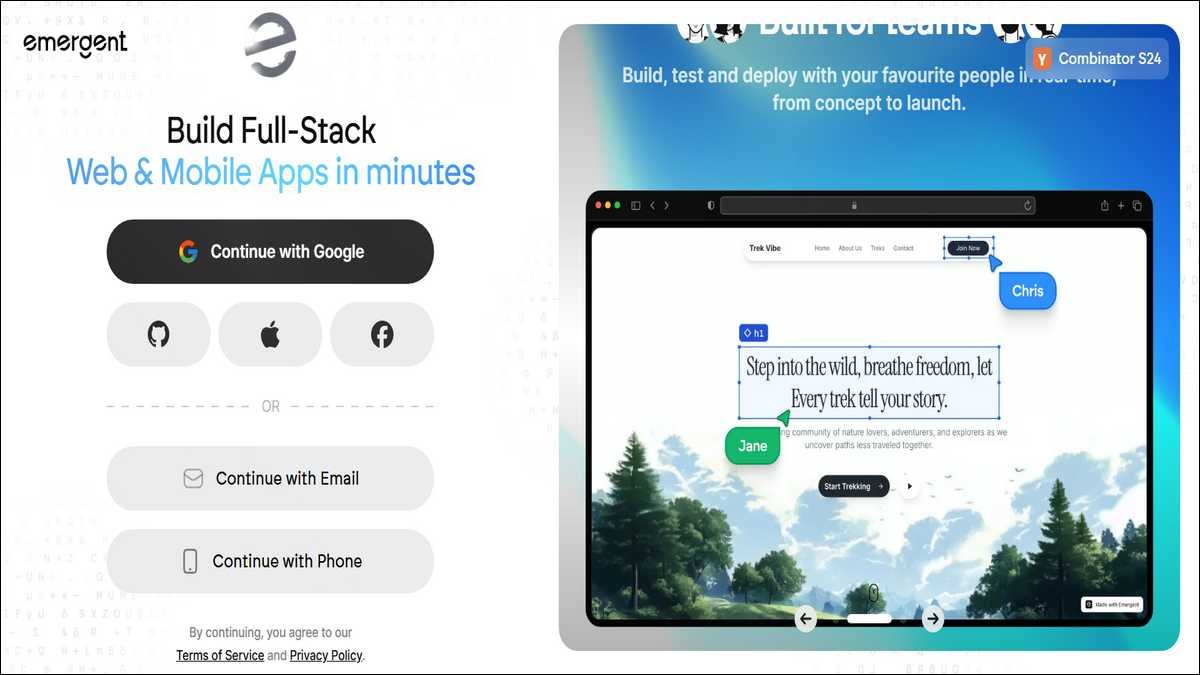
Emergent AI grew quickly because it lowers the bar for turning an idea into working software. You type or speak what you need in everyday words.
The system then uses several AI agents that work together to build the frontend, backend, database, and live version. Lots of people who used to need a developer or got stuck with complicated no-code tools now reach something functional much faster.
Key facts about its growth include these points:
- Emergent AI reached approximately 50 million dollars in annual recurring revenue in roughly seven months after public launch.
- The platform reports five million-plus users across 190 countries.
- More than six million applications have been created on it, according to company information.
- Earlier updates noted nearly two million apps created and over fifty thousand deployed within four months of wider availability.
That kind of speed comes from the multi-agent setup. One agent might focus on the screens while another handles data and accounts. Real examples show what’s possible.
A nurse built a certification study app for under one thousand dollars. Another founder created a multi-tenant SaaS tool at a fraction of traditional development cost.
At the same time, fast growth has brought mixed feedback. Some users get quick wins on focused projects. Others find costs rising during back-and-forth changes or notice stability hiccups on bigger builds. The rest of this piece looks at both sides with concrete details so you can decide what fits your situation.
Also read:
How Emergent AI Works in Practice
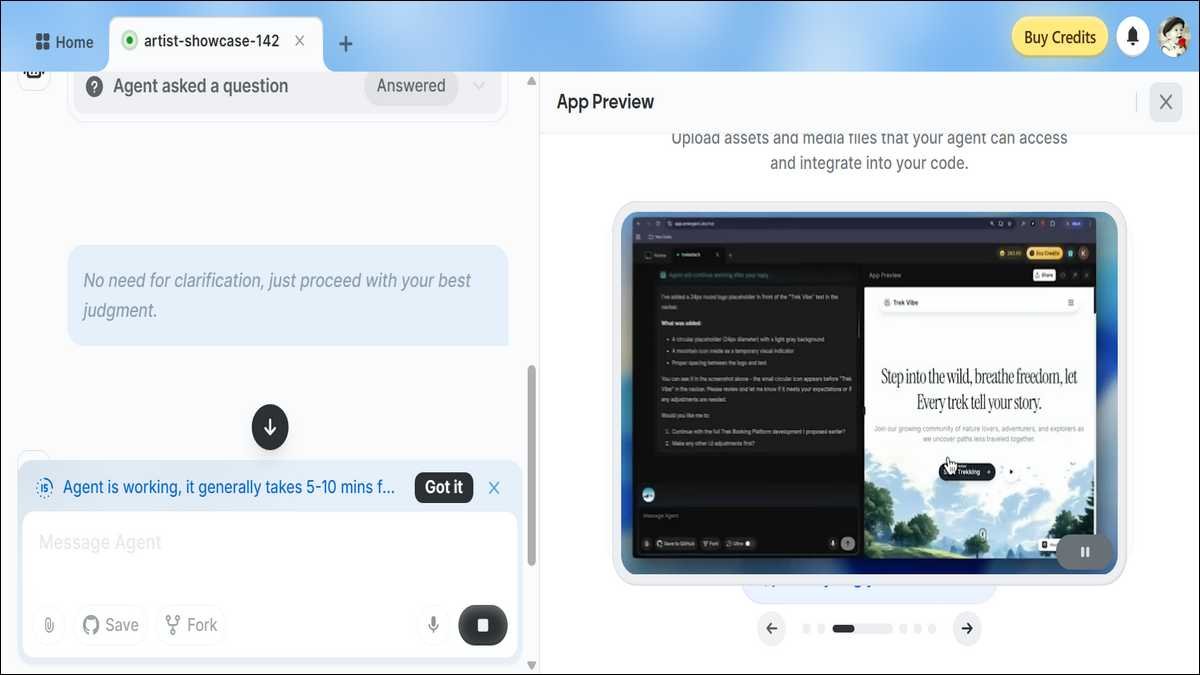
You can start by describing your app in plain language. The agents then break that description into tasks and build the pieces step by step.
They create the interface, set up the backend and database, add accounts where needed, and prepare everything for live use. You can keep chatting to ask for changes, and the system updates the app from there.
Core mechanics that shape the experience include these details:
- You can use it for both web and mobile apps. Mobile previews often rely on frameworks like Expo so you can test on your phone.
- The agents try to spot and fix issues before deployment.
- Most changes happen through follow-up messages in the same chat.
- Some users mention the option to export to GitHub if they want to continue work elsewhere.
In practice, the first version often shows up within minutes for straightforward ideas. One reviewer built a health tracking app and noticed the agents took screenshots to check the layout, then fixed navigation problems on their own.
Bigger projects usually need a few rounds of feedback. Each round improves things, though it also uses more time and credits.
The process tends to go smoother when your prompts stay clear and focused. Vague requests or big changes back and forth can lead to more iteration.
People with some technical comfort often guide it more easily, but beginners can still get results on narrow, well-defined projects. The main thing is to treat the first output as a solid starting point that benefits from testing and small tweaks.
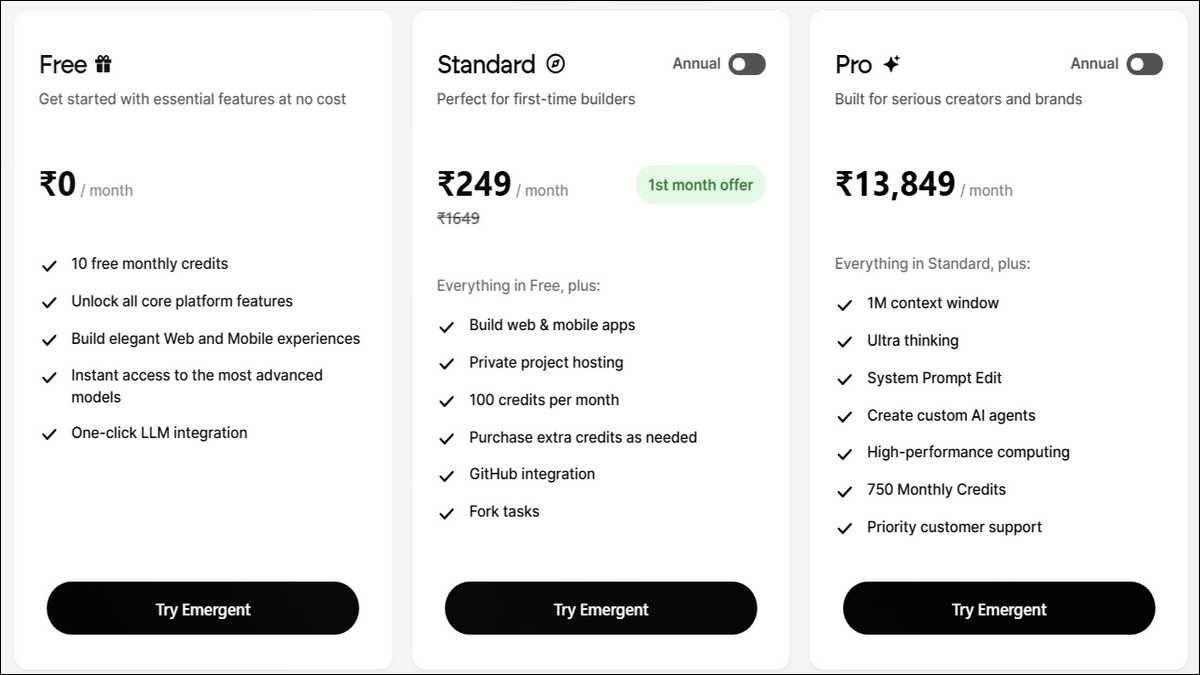
Real Pricing, Credit System, and Total Costs in 2026
Emergent AI uses a subscription plus credits model. Your plan gives you a monthly batch of credits. Most actions like planning, generating code, testing, making fixes, and deploying use up credits.
When you run low, you can buy more or move to a higher plan.
Current pricing tiers break down as follows:
| Plan | Monthly Cost (approx.) | Credits Included | Best Suited For | Practical Notes |
|---|---|---|---|---|
| Free | $0 | Very limited | Trying the platform | Too restricted for ongoing projects |
| Standard | $20 | 100 | Solo builders and simple MVPs | Works for light use but fills quickly |
| Pro | $200 | 750 | Regular creators and small teams | Higher volume yet still requires monitoring |
| Team | $300 | 1,250 shared | Small collaborative teams | Includes shared workspace features |
| Enterprise | Custom | Higher volume | Larger organizations | Adds SSO and dedicated support options |
Important realities about costs include these points:
- Credits often deplete faster than expected on projects that need several refinements.
- Deployment and complex features can eat up a big chunk in one go.
- Some users report spending several times the base monthly fee on top-ups for one complete app.
- Unused credits may expire depending on the plan.
Here’s what often happens in real use. Simple apps with standard features can sometimes stay within lower plan limits. Anything with custom logic, several integrations, or mobile parts tends to push usage higher. The model rewards clear prompts and accepting an early version that’s good enough. It gets more expensive when you make frequent large changes or let the agents loop on fixes.
Compared with hiring developers, the total spend can still look reasonable for testing an idea. Compared with pure no-code tools, the credit system adds some unpredictability. People who track their usage and keep projects scoped tend to stay more in control of costs.
What Emergent AI Builds Well and Where It Hits Limits
You can get functional apps more reliably when your project follows common patterns. Standard dashboards, forms, user accounts, and basic data tracking often reach working versions with moderate effort. Many people successfully launch MVPs, internal tools, and simple mobile apps this way.
Areas where results tend to come more easily include these examples:
- Web apps with forms, lists, and basic dashboards.
- Simple mobile apps for data entry or content viewing.
- Internal business tools for small teams.
- Early versions meant to test an idea quickly.
Areas that usually require more time and care include these situations:
- Highly custom workflows or unusual business rules.
- Apps that depend on many complex third-party services.
- Projects needing very specific visual design from the start.
- Applications with strict security or compliance needs from day one.
User reports show this range clearly. The nurse who created a certification prep app succeeded with a focused scope. Reviewers who built health trackers or booking systems reached functional results after several refinement rounds. Attempts at larger or more unusual SaaS platforms often involved extended debugging and rising credit use.
Production use carries practical considerations
The generated code works for many live apps. That said, long-term maintenance, performance under real traffic, and security reviews stay your responsibility. Some people export the code to keep developing it outside the platform. Others continue iterating inside it. Both paths benefit from ongoing human testing rather than assuming the initial output is complete.
Stability also varies. Agents sometimes diagnose and repair issues effectively. In other cases, users run into repeated loops or inconsistent behavior that needs extra guidance. These patterns show up more often with longer or more complex builds.
Step-by-Step Guide to Build an App with Emergent AI
You can reach a working version more smoothly when you begin with a clear and limited goal. Write down the main purpose and the few most important features before you start.
This preparation helps the agents stay on track and cuts down on unnecessary back-and-forth.
Effective first prompts often follow a simple structure:
- State the overall purpose in one or two sentences.
- List the main screens or user actions next.
- Mention key data elements or user types early.
- Add any required integrations after the core features.
- Save detailed design preferences for later refinements.
After the first build appears, open the preview and test the main flows yourself. Note what feels complete and what needs adjustment. Then send short, specific follow-up messages such as “Add a weekly summary chart to the dashboard” or “Make the login screen match the rest of the design.”
This targeted approach usually uses fewer credits than broad rewrite requests.
A typical refinement flow looks like this:
- Generate the initial version and test core paths.
- Adjust user interface and navigation.
- Fix any data handling or logic issues.
- Complete deployment and basic mobile checks if needed.
- Review the live app and make final small improvements.
Many people find that simple apps reach a usable state in under an hour when prompts stay focused. Medium projects often span a few sessions. Each major change adds processing time and credit consumption. Deployment itself also uses resources, so it helps to feel confident in the current version before that step.
People who treat the platform as a collaborative partner rather than a fully automatic solution tend to get better outcomes. Clear communication and realistic expectations about iteration make a noticeable difference.
Also read: 22 Best Product Hunt Alternatives to Launch Your Startup
How Emergent AI Compares to Alternatives in 2026
Several other tools offer AI help with app creation. Each one balances speed, control, and cost differently. Emergent AI stands out for its high level of automation from a single conversation through to deployment.
Comparison of main options available in 2026:
| Tool | Strongest At | Level of Code Control | Cost Structure | Notes on Real-World Use | Mobile Experience |
|---|---|---|---|---|---|
| Emergent AI | Full apps from natural language | Export available | Subscription + credits | Fast for standard MVPs. Iteration adds cost. | Good via frameworks |
| Lovable | Quick visual prototypes | Limited | Subscription | Excellent starting visuals. Backend often separate. | Limited |
| Replit Agent | Browser-based development | High | Usage based | Strong for users comfortable with code. | Possible with setup |
| Cursor plus other tools | Professional developer workflows | Full | API costs | Highest control but requires coding skills. | Manual configuration |
| Hybrid visual + AI tools | Component generation and small apps | Medium | Varies | Good speed on parts. Integration work remains. | Varies |
Key differences that matter in practice include these points:
- Emergent AI removes the largest number of manual steps for people who prefer minimal coding.
- Tools aimed at developers provide more direct control but expect more user involvement.
- Pure no-code platforms avoid AI variability yet often require more manual setup for logic.
- Hybrids offer speed on specific parts while leaving other work to the user.
You can choose more confidently by asking these questions:
- How much coding experience do you have or want to use?
- Is predictable monthly cost more important than maximum speed to first version?
- Does the project need highly custom design or mostly standard patterns?
- Will the app need frequent changes after launch?
- Is mobile experience essential from the beginning?
No single option fits every project. Emergent AI works especially well when you value automation and accept that some iteration and variable costs will likely occur. Teams that need maximum control or have strict requirements often combine it with other tools or add human review steps.
AI App Builders Comparison 2026
How different tools perform across key use cases
Comparison based on 2026 user reports and platform capabilities
The Bigger Picture: Emergent Abilities and Responsible Use
The name Emergent AI draws from research showing that larger AI models sometimes develop new capabilities that smaller models do not show in predictable ways. Agent systems build on this pattern by coordinating multiple models to handle complex tasks like full application creation. This progress makes software building more accessible to more people.
The practical benefits appear in shorter validation cycles and lower barriers for idea testing. At the same time, responsible use still matters. Generated code benefits from human review for quality, security, and fit with specific business needs.
Credit costs can add up on larger projects. Relying on any single platform also carries some risk if terms or features change.
Helpful practices that many users follow include these steps:
- Begin with small, clearly defined projects.
- Keep exports or backups of important work.
- Test thoroughly before using real user data.
- Track both subscription and extra credit spending.
- Maintain oversight on features that affect compliance or critical operations.
These tools will likely continue improving as models and agent coordination advance. The core need for clear thinking about requirements and careful validation of results remains. Software involves more than generation. It also includes understanding trade-offs and maintaining systems over time.
Also read: AIOps: Top 10 Use Cases, Challenges & Best Practices
Wrapping Up!
Emergent AI delivers meaningful capability for many people in 2026. It turns descriptions into deployed applications more quickly than traditional paths in many cases. The reported growth reflects real results for users who match the tool’s strengths.
It also requires attention to costs, iteration, and production details. People who start with focused scopes, monitor credit use, and plan for testing tend to have smoother experiences. Those who expect fully automatic or perfectly predictable low costs often feel disappointed.
You can explore it safely by beginning on the Free or Standard plan with a small project. Measure the actual time and credits required. Then decide whether to continue or combine it with other approaches. It serves best as one useful option rather than a complete solution for every development need.
Main points to remember:
- Emergent AI creates full-stack apps from natural language using multiple coordinated agents.
- Company reports show rapid growth to around 50 million dollars ARR and millions of apps created.
- Pricing starts accessible but becomes variable with project complexity and refinement needs.
- It performs reliably on standard pattern MVPs and simple tools. More custom or complex work usually needs extra effort.
- Compare it against your priorities for speed, cost predictability, and long-term control.
- Always test results and keep human oversight regardless of how the first version is generated.
The field of AI-assisted development keeps evolving. Tools like this one represent a practical step toward wider access. Success still depends on clear goals, realistic expectations, and honest evaluation of the results you actually get. Start with something small, track what happens, and adjust based on your own experience.