Opera Redesigns Android Home Screen With AI Shortcuts and World Cup Team Tracker
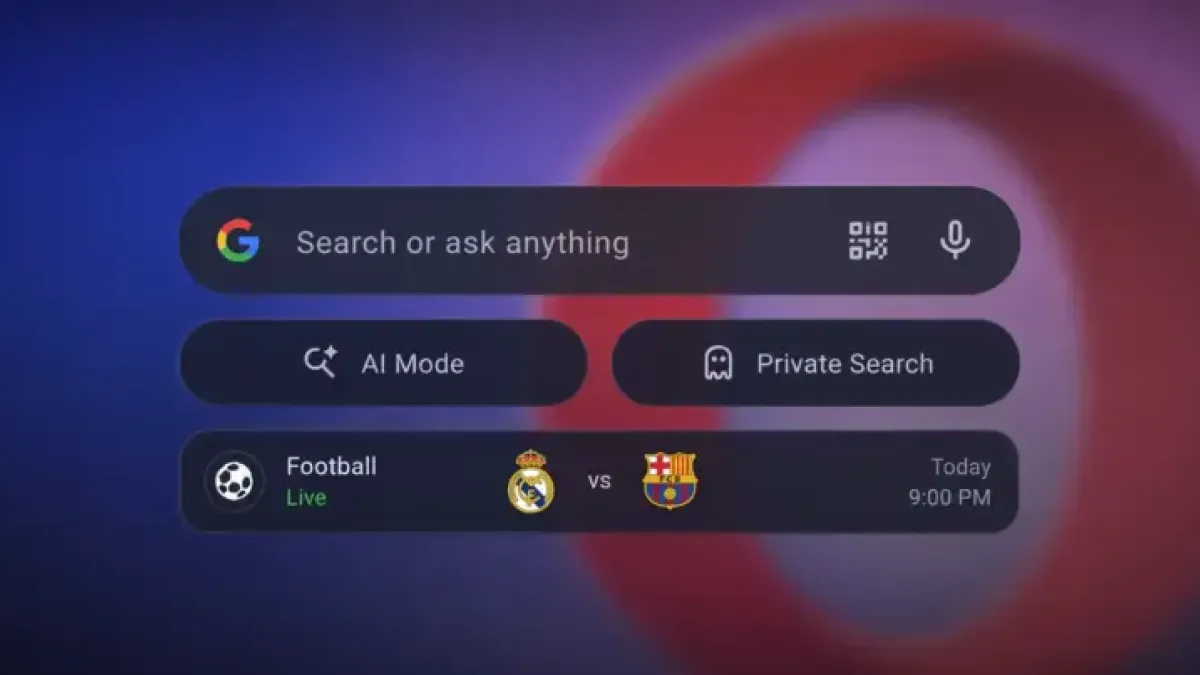
Opera is rolling out a redesigned home screen for its Android browser, adding quick-access buttons for AI and private browsing alongside a dedicated 2026 FIFA World Cup team tracker.
The changes appear in version 99.1.5094.88830, now live on the Google Play Store for both the standard Opera browser and Opera Mini.
What Changed on the Home Screen
The previous layout featured a basic search bar above app shortcuts and a generic news feed. The new design places two pill-shaped buttons — labeled “AI Mode” and “Private” — directly below the search bar, pushing personalized news articles further down the screen.
Neither button activates by default. Users must manually enable the AI and Private search shortcuts through settings after a fresh install, suggesting Opera wants users to opt in rather than face an automatic interface overhaul.
Tapping the AI Mode button opens a conversational interface powered by Google’s AI. Still, the browser retains support for alternative search engines and keeps Opera’s own Ask AI chatbot available — users are not locked into Google’s tool and can disable the shortcut entirely.
World Cup Widget Takes Center Stage
Below the speed dial shortcuts — quick-access icons for frequently visited sites — a large “Who do you support?” widget now occupies the lower half of the home screen.
Users select favorite international teams from a scrollable list that includes Argentina, Brazil, England, and Portugal, each represented by a large circular flag icon.
The widget connects to Opera’s existing live sports section and surfaces match scores, upcoming fixtures, and post-game results directly on the start page without requiring users to open a separate tab.
Opera also built in system-level push notifications for match kick-offs, goals, and final whistles. The tracker reportedly uses a learning algorithm to adjust the accompanying news feed based on how users interact with it, though Opera has not publicly detailed how that system works.
Timing Tracks a Broader Browser Trend
Opera is not alone in targeting the tournament. Firefox this week added a live sports widget to its New Tab page alongside weather, clock, and timer tools, positioning itself as a companion screen for World Cup viewers.
Opera’s integration goes a step further by embedding the soccer tracker directly into the home screen rather than offering it as a separate optional layer.
The 2026 FIFA World Cup kicks off June 11 in Mexico City, with matches spread across the United States, Canada, and Mexico — the first edition of the tournament to feature 48 teams, expanded from the previous 32-team format under rules FIFA approved in 2017.