Google Chrome Test Moves New Tab Shortcuts Lower, Creating Large Whitespace Gap
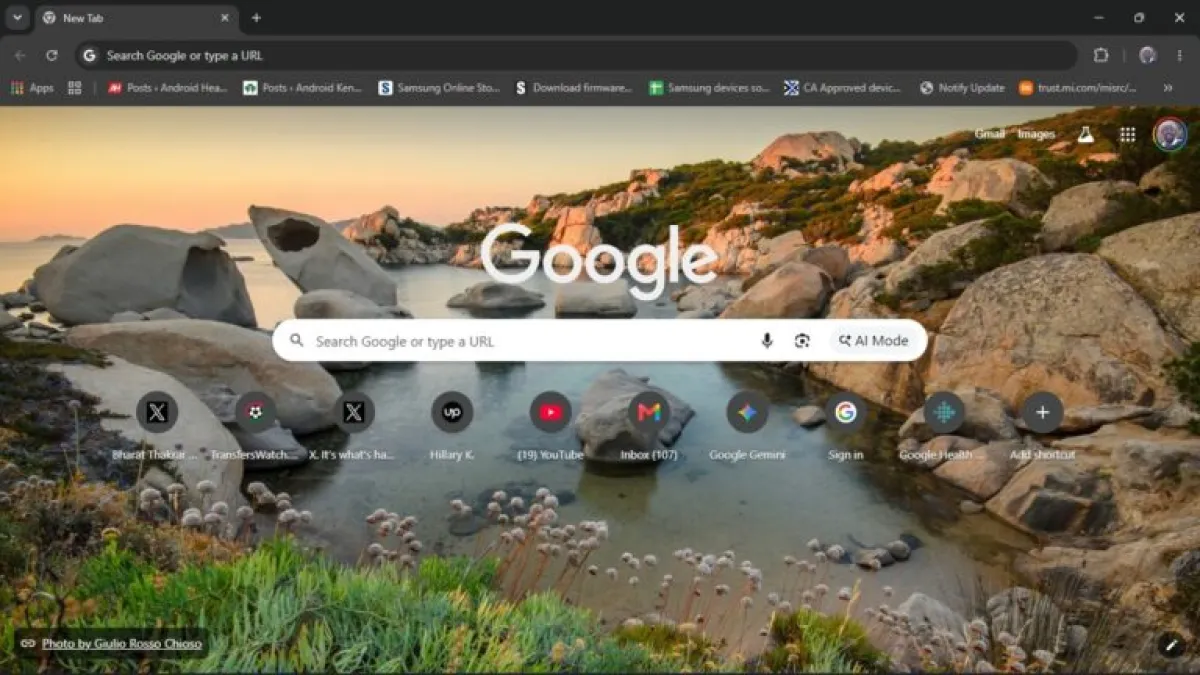
Some Google Chrome users have noticed their New Tab Page layout shifting unexpectedly, with the grid of website shortcuts pushed far below the central search bar — leaving a wide block of empty space in between.
The change does not affect browser functionality, but it disrupts the compact layout many users rely on daily.
What’s Happening
Google appears to be running a limited server-side A/B test — a method of trialing interface changes on a subset of users without a software update — that repositions the shortcut grid significantly lower on the New Tab Page (NTP).
Reports surfaced within the past week across Chrome user forums, with affected users describing the shift as sudden and jarring.
The test does not appear tied to a specific Chrome release channel. Checks across Chrome Stable, Beta, and Canary builds by PiunikaWeb could not replicate the layout change, suggesting Google controls the rollout entirely from its servers.
That makes the issue harder to pin down — and harder to fix through conventional means.
The Flag Behind the Change
Still, a workaround exists for those affected.
The change links to a Chrome experimental flag called “NTP ComposeBox,” accessible through Chrome’s internal flags menu at `chrome://flags`. Disabling this flag and relaunching the browser has restored the standard layout for affected users.
To do so, type `chrome://flags` into the Chrome Address Bar and press Enter. Then type “ntp” into the search box, locate the flag labeled NTP ComposeBox, set its drop-down menu to Disabled, and click the Relaunch button in the bottom right corner.
Users who are not part of the test may find the flag present but inert — toggling it produces no visible change to their NTP layout.
Broader Context
Google has run several interface experiments across Chrome in recent weeks.
Earlier this month, the company tested a floating “Everywhere Omnibox” — a persistent search bar that overlays the desktop and connects to Google's AI search tools, separate from the browser window itself.
Chrome flags serve as Google’s internal toggle system for features still in testing. They give developers and power users the ability to enable or disable experimental functionality before it reaches a general release, though Google does not guarantee their stability or long-term availability.