Google Tests Floating Gemini Toolbar for Highlighted Text in Chrome Canary
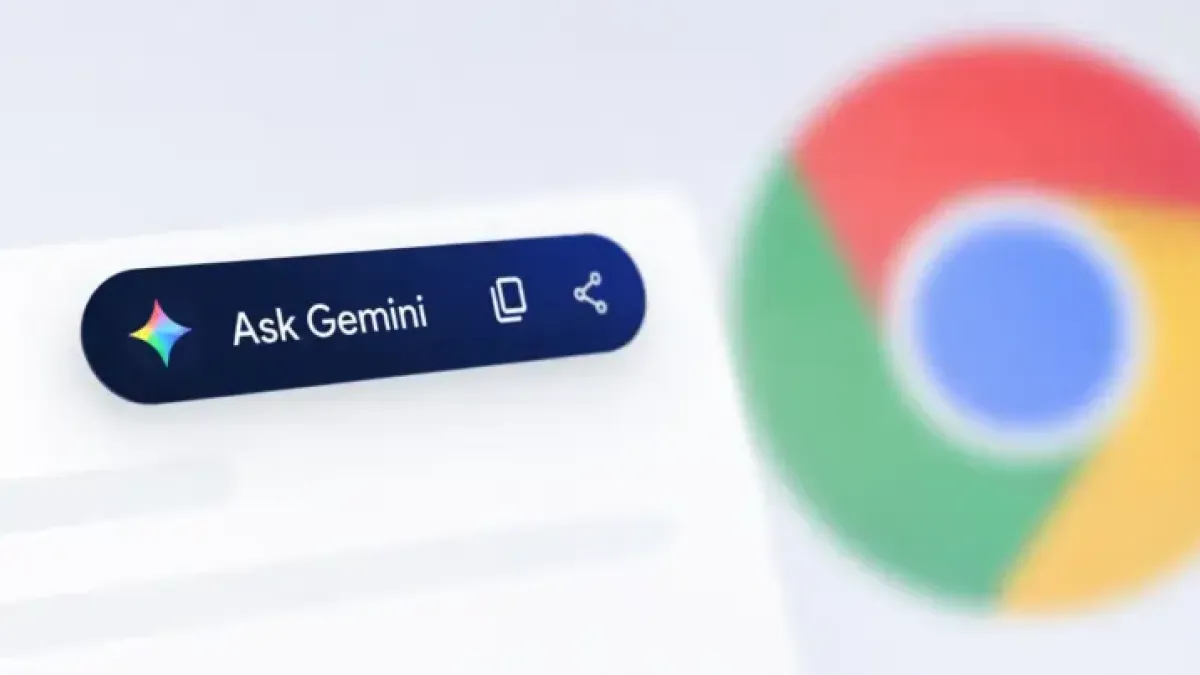
Google is testing a floating toolbar in Chrome Canary — the browser’s experimental build — that appears when a user selects text on a webpage and places AI and editing shortcuts directly alongside the selection.
The toolbar surfaces options including Ask Gemini, Copy, Share, and additional site controls, according to findings first reported by Windows Report. It removes the current multi-step process of right-clicking, selecting “Ask Gemini,” opening the sidebar, then manually typing a query.
How It Works Now
Under Chrome’s existing setup, highlighting text and choosing “Ask Gemini” from the right-click context menu opens the Gemini sidebar — a panel docked to the browser’s edge — but does not automatically populate it with the selected text.
The user must then type the query manually.
The new toolbar skips that entirely. Clicking Ask Gemini sends the highlighted text straight to the Gemini side panel, where Users Can immediately ask follow-up questions without copying or re-entering anything.
What Testers Are Seeing
The toolbar has not activated consistently across test environments. Windows Report documented the floating toolbar appearing above selected text, but independent testing on Chrome Canary build 151.0.7905.0 did not reproduce the floating toolbar itself.
That said, the underlying function does appear active. Selecting text and using the right-click context menu on that build passed the highlighted content directly into the Gemini side panel automatically — a change from the current behavior in stable Chrome.
The toolbar also carries a three-dot overflow menu with options including “Hide for this site” and “Settings,” Windows Report said. The hide function suppresses the popup on specific domains. The Settings option, however, currently redirects to Chrome’s standard content settings page rather than any Gemini-specific configuration screen — a sign that parts of the feature remain unfinished.
Part of a Broader Chrome Interface Push
The experiment sits alongside other interface changes Google has been testing in Canary. The company is also trialing a redesigned text-selection menu that displays a preview of selected content next to actions such as Copy and Translate, along with updated icons intended to improve option visibility.
This Gemini integration follows the same direction: moving AI actions closer to selected content rather than nesting them inside layered menus.
The push extends to mobile as well. Chrome 150 for iOS introduced an upgraded Gemini experience that Lets Users Minimize the floating AI window into a small pill-shaped shortcut at the bottom of the screen.
No Public Announcement
Google has not publicly announced the floating toolbar feature. Chrome Canary serves as Google’s earliest testing channel, where experimental features regularly appear and disappear before — or instead of — reaching stable releases.
The company has steadily expanded Gemini’s footprint inside Chrome over recent months as it competes with Microsoft, which has integrated its Copilot AI assistant into the Edge browser’s sidebar and context menus.