Google Chrome Bundles a Free On-Device AI Model — Here’s How to Unlock It
Google Chrome ships a built-in Gemini Nano 4B language model that runs entirely on a user’s device, and most people have never seen it.
Developer Arnav Gupta demonstrated this week that Chrome’s on-device AI, accessible through its built-in Prompt API, can serve as a locally hosted, OpenAI-compatible chat endpoint — requiring no API key, no external network calls, and no third-party tools such as Ollama.
The model carries a context window of 9,216 tokens, meaning it can process roughly 6,000 to 7,000 words of input in a single session.
Because the model runs on-device, conversations never reach Google’s servers.
Hardware Requirements
Not every machine can run it.
Testing on an Apple M2 MacBook Air produced an error stating the device did not meet hardware requirements for Gemini Nano specifically — suggesting the model demands meaningful GPU capacity that even recent mid-range hardware may not provide.
Chrome does, however, fall back to a smaller Gemma model during setup, which ran without issue on the same M2 machine.
Users who hit the hardware wall on Gemini Nano can skip directly to the Gemma fallback — the steps below cover both paths.
How to Enable It
First, make sure Chrome is updated to a recent desktop release.
Open a new tab, navigate to `chrome://flags`, search for “Prompt API for Gemini Nano,” and enable it. Also enable “Optimization Guide On Device Model,” then relaunch Chrome.
After relaunching, go to `chrome://components`, find “Optimization Guide On Device Model,” and click “Check for update” to trigger the model download.
Next, clone Gupta’s repository by running `git clone https://github.com/Ar9av/gemini-nano-chrome.git` in a terminal, then navigate into the folder with `cd gemini-nano-chrome` and run `npm start`.
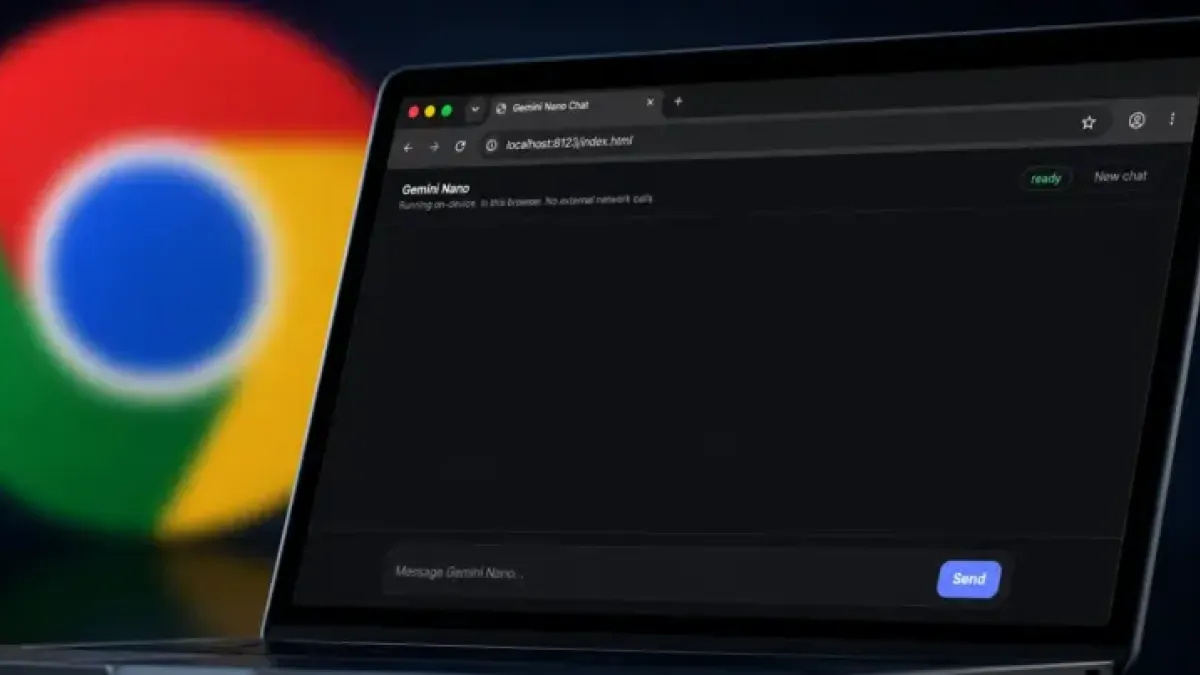
Finally, open a browser tab and go to `localhost:8123/index.html`.
The interface displays a progress bar during the model download. Once the bar reaches 100%, the status switches to “ready” and the chat interface becomes active.
What to Expect
The experience mirrors other local AI chatbots — a user types a message and receives a response, all within the browser at localhost.
Download time varies by connection speed. Hardware errors on Gemini Nano do not block access to the Gemma fallback, which loads by default before any Gemini Nano flags take effect.
Google has steadily expanded on-device AI capabilities inside Chrome as part of its broader push to embed machine learning directly into the browser, reducing dependence on cloud inference for routine tasks.