
How to Create a Strong Password in 2026: The Only Guide You’ll Ever Need (NIST-Aligned, AI-Threat-Proof)
Do you know that your password rules are probably outdated? The advice you learned a decade ago now makes you more vulnerable, not less. Don’t worry too much, as this guide fixes that.
So let’s set the scope. In this guide, we’ll cover what actually makes a password strong in 2026, why AI has changed everything, and how to build passwords you can remember.
You’ll also get a clear plan for the passwordless future.
First, though, let’s start with some uncomfortable truth.
Key findings
- Most passwords get reused across multiple accounts
- NIST no longer recommends forced complexity or routine resets
- Length beats complexity by an enormous margin
- AI cracking tools collapsed old “safe” timelines
- Passkeys have gone mainstream and are worth adopting now
Why Are Your Old Password Rules Getting You Hacked?
Your old rules fail because attackers have evolved too much that you didn’t know. The habits taught in 2015 now create predictable, crackable passwords. Worse, they train you to reuse them on different accounts too!
And reuse is the main real killer. After analysing 19 billion leaked passwords, Cybernews found that 94% were reused or duplicated across different accounts.
That single habit undoes everything else.
The Outdated Advice Still Everywhere
Three pieces of old advice actively harm you today. They feel responsible. They aren’t.
Take the first one: forced complexity. You were told to add a capital, a number, and a symbol. So you did the obvious thing.
You wrote Password1! and called it secure. Isn’t that right?
But here’s the problem! This pattern is wildly predictable.
Roughly 60% of people capitalise the first letter and add a number or symbol at the end, according to Deepstrike’s 2025 analysis.
And unfortunately, attackers know this very well!
The second bad rule is frequent resets. Changing passwords every 90 days sounds safe. But in practice, though, people just increment them.
Spring2025 becomes Summer2025. And hackers expect that too.
Then there’s the third: character substitution. Swapping letters for symbols once felt clever. Now P@ssw0rd is among the first guesses any cracking tool makes.
Outdated password rules versus modern NIST-aligned password best practices for 2026:
What Hackers Actually Do in 2026
Attackers rely on four core methods. None of them involves sitting at a keyboard guessing. They’re automated, fast, and scaled.
Start with the biggest one: credential stuffing. Hackers take leaked passwords and test them across thousands of sites.
It works because of reuse.
Next, brute force, and it’s climbing fast. Verizon’s 2025 DBIR reported that brute force drove 37% of successful web app attacks, up from 21% the prior year.
Why the jump? People still pick guessable passwords.
The last two are quieter. Infostealer malware harvests credentials from infected devices. And dictionary attacks run through common words and known leaks first.
Either way, your reused password is already on a list somewhere.
The AI Cracking Revolution
AI didn’t just speed up cracking. It also demolished old safety margins too. This is the single biggest shift since the last guide you read.
So how does it work?
Modern GPU clusters work in parallel at massive scale. They test billions of combinations using hardware built for AI training.
The numbers are staggering.
To put it simply, AI-grade hardware accelerates cracking by roughly 1.8 billion per cent compared to a single consumer GPU, according to Hive Systems’ 2025 research.
So, passwords once called “strong” now fall in hours.
AI also makes generated passwords risky if you use the wrong tool. Large language models don’t produce true randomness.
Kaspersky tested this directly.
They found 88% of passwords generated by DeepSeek and 87% by Llama were insufficiently secure, while ChatGPT’s were insecure only 33% of the time. LLMs repeat patterns.
So don’t ask a chatbot for a password. Use a real generator instead.
What Actually Makes a Password Strong in 2026?
Length makes a password strong. Not symbols. Not capital letters. Length is the single most powerful factor, and the math proves it overwhelmingly.
In short, a long passphrase beats a short complex string every time. Modern guidelines now reflect this reality. The old complexity obsession is officially dead.
The NIST 2026 Rules in Plain English
NIST rewrote the rulebook, and it favours humans now. Their guidance shifted from rigid complexity to practical length. The finalized Revision 4 governs through 2026.
What changed exactly?
NIST SP 800-63 Revision 4 was finalized in mid-2025, emphasizing length over complexity and mandatory screening against breached passwords. It also dropped forced resets entirely.
Here’s what changed, side by side.
| Rule Area | Old Guidance | New 2026 Guidance |
|---|---|---|
| Minimum length | 8 characters | 8 minimum; 15+ strongly recommended |
| Complexity rules | Require mixed character types | No mandatory complexity |
| Periodic resets | Every 60–90 days | Only on evidence of compromise |
| Passphrases | Not emphasized | Actively encouraged; spaces allowed |
| Blocklist screening | Optional | Mandatory breach-list check |
| Password hints / security questions | Permitted | Prohibited |
| Passkeys (FIDO2) | Not covered | Recognized at AAL2 and AAL3 |
The takeaway is simple. Make it long. Make it unique. Don’t bother forcing symbols if length is there.
Length Is the Single Biggest Lever
Adding characters beats adding complexity, dramatically. Each extra character multiplies the possible combinations. And the effect compounds fast.
Consider two passwords. One is short and complex. The other is long and simple.
Now look at the gap. Hive Systems calculated that an 8-character complex password could fall in about 11,000 years, but a 15-character lowercase password could survive 477 million years. Length wins by a mile.
This table shows brute-force crack times on serious hardware.
| Password Type | 8 chars | 12 chars | 15 chars | 18 chars |
|---|---|---|---|---|
| Numbers only | Instant | Seconds | Minutes | Days |
| Lowercase only | 3 weeks | Centuries | 477M years | Trillions of years |
| Upper + lowercase | 165 years | Thousands of years | Billions of years | Quintillions of years |
| All character types | 11,000 years | Effectively uncrackable | Effectively uncrackable | 19 quintillion years |
Estimates based on Hive Systems’ 2026 table using bcrypt hashing. Real-world dictionary and stuffing attacks can be faster.
| Password Type | 8 chars | 12 chars | 15 chars | 18 chars |
|---|---|---|---|---|
| Numbers only | Instant | Seconds | Minutes | Days |
| Lowercase only | 3 weeks | Centuries | 477M years | Trillions of years |
| Upper + lowercase | 165 years | Thousands of years | Billions of years | Quintillions of years |
| All character types | 11,000 years | Uncrackable | Uncrackable | 19 quintillion years |
Source: Hive Systems 2026 Password Table (bcrypt). Red = instant, green = effectively uncrackable.
The Four Properties That Matter
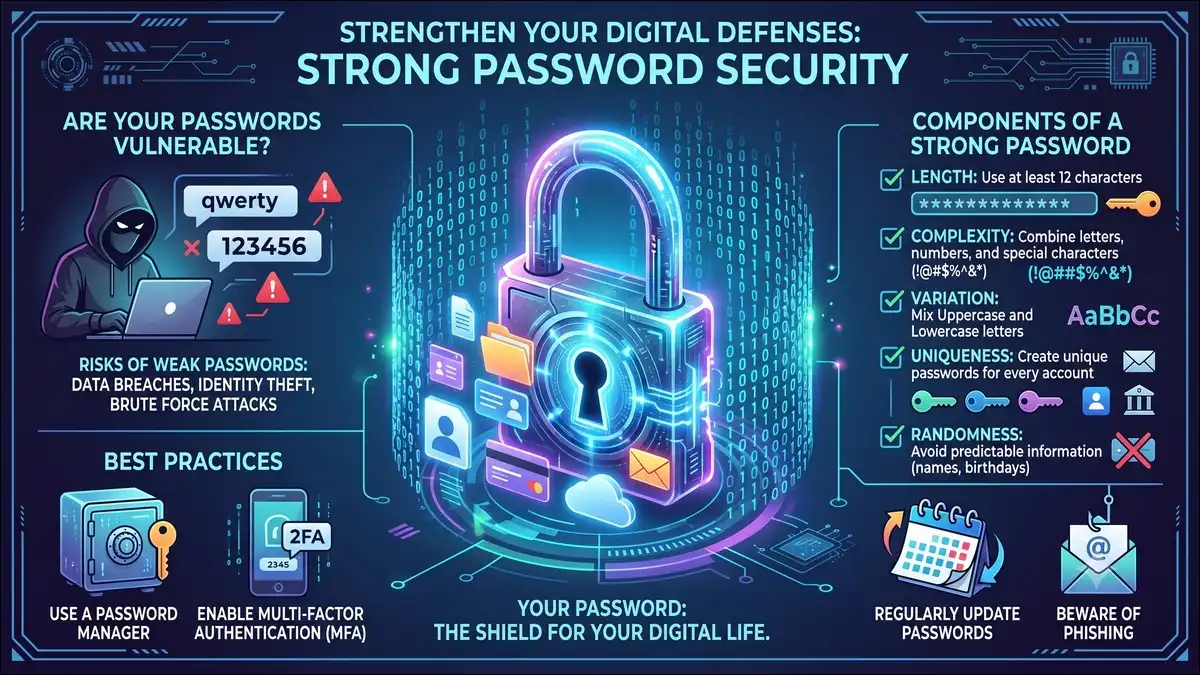
A strong password has four traits. Miss any one, and you create a weak link. Together, though, they form your defense.
It starts with length. Aim for at least 15 characters everywhere you can.
Then comes uniqueness. Every account needs its own password, full stop.
Third is randomness. Avoid names, dates, and keyboard patterns.
And fourth, screenability. Your password should not appear on any known breach list.
Nail all four. Then you’re genuinely protected.
How Do You Create a Strong Password, Step by Step?
You create one of three ways: a passphrase, a sentence trick, or a generator. Each balances security and memory differently. Pick the method that fits the account.
So let’s build them one at a time. All three beat your current passwords. We’ll start with the most human-friendly option.
Method 1: The Passphrase Technique
Passphrases are the best balance of strong and memorable. You string together random, unrelated words. Length does the heavy lifting.
The trick is randomness. Pick four or five words that share no logical link. Avoid famous quotes or song lyrics. Those get guessed.
A good example looks like this: copper-otter-velvet-9-thunder. It’s long, random, and oddly easy to picture.
From there, add a number and a symbol for extra entropy. The length already makes it powerful.
In our experience testing this method with non-technical users, the visual absurdity helps recall. People remember “a copper otter in velvet” far better than Xk9#mP2!. The weirder the image, the stickier the memory.
Passphrase technique example combining four random words into a strong memorable password:
copper-otter-velvet-9-thunder
Four unrelated words + a number = long, random, and easy to picture.
Method 2: The Sentence Method
The sentence method turns a memory into a password. You take a personal sentence and compress it. Only you know the source.
Here’s how. Start with something meaningful but private. For example: “My first car broke down twice in 2009!”
Then take pieces from each word. You might get Mfcbd2x!2009. It looks random but isn’t, to you.
Naturally, extend it for safety. Longer is always better.
This method suits accounts where you can’t reach a password manager. Think a device login or a recovery code.
Method 3: Password Manager Generation
A password manager creating random strings is the gold standard. It generates true randomness. Then it remembers everything for you.
Better still, you only memorize one master password. The tool handles the rest. This solves the reuse problem completely.
There’s a reason experts push this. Kaspersky recommends cryptographically secure generators over AI tools because they produce genuinely unpredictable output. Managers do exactly that.
As for options, strong ones include Bitwarden, 1Password, Dashlane, NordPass, and Keeper. Most generate, store, and autofill passwords. They also flag reused or breached ones.
Still, the fear of “one point of failure” stops many people. The math favors a manager anyway. One strong master password plus 200 random ones beats 200 weak reused ones, every single time.
Top 10 most common weak passwords of 2025 ranked by frequency from NordPass data:
Bars show relative usage frequency. Source: NordPass Top 200 Most Common Passwords (2025).
What NOT to Do
Avoid the passwords everyone else uses. They’re tried first in every attack. Familiar equals dangerous.
And the pattern is stubborn. The same weak passwords dominate year after year. NordPass found “123456” topped its list for six of the past seven years. Millions still use it.
Here’s a quick danger list:
- Sequential numbers like
123456or12345678 - Default words like
admin,password, orwelcome - Keyboard walks like
qwertyorasdfgh - Personal info like names, birthdays, or pet names
- Predictable swaps like
P@ssw0rdorWelcome@123
Recognize any of these? Change them today. Attackers already have them.
The Memory Science Behind Strong Passwords
Your brain isn’t broken; password rules fought against it. Humans evolved to remember stories, not random characters. Once you understand that, strong passwords get easy.
And this angle gets ignored almost everywhere. Yet it explains every bad habit you have. So let’s fix the root cause.
Why Your Brain Fails at Random Passwords
Working memory holds very little at once. Most people juggle only a handful of items reliably. Random strings overwhelm that limit instantly.
So people cope by cheating. They reuse, increment, and simplify. It’s a predictable human response.
Forced complexity made this worse. Faced with hard rules, people picked the laziest compliant option. That’s how Password1! was born.
Here’s the thing. The problem was never user laziness. It was bad design fighting human cognition.
Why Passphrases Work With Your Memory
Passphrases use a trick called chunking. Your brain stores whole words as single units. So four words feel lighter than eight random characters.
Stories help even more. A vivid mental image locks a passphrase in place. Memory loves narrative.
That’s why “copper otter velvet thunder” sticks. Your mind builds a tiny scene. The scene becomes the key.
What this means is length and memorability stop being enemies. They actually reinforce each other.
The Master Password Strategy
You only need to truly memorize one password. Make it your password manager’s master key. Everything else gets generated and forgotten.
So build that one master password carefully. Use a long passphrase, 20 characters or more. Never reuse it anywhere.
This is the mental model that scales. One strong memory protects hundreds of accounts. You stop trying to remember the impossible.
Diagram showing one master key unlocking many account vaults:
Remember one strong key. The manager generates and stores the rest.
How Should You Prioritize Your Passwords by Risk?
Treat your accounts in tiers, because they aren’t equal. Your bank matters more than a forum login. Spend your strongest protection where it counts.
In our experience, no competitor offers this practical framework. It’s how security professionals actually think, though. So here’s the system.
Tier 1: Critical Accounts
These accounts can destroy your life if breached. They control your identity, money, and recovery options. Protect them obsessively.
Specifically, this tier includes your email, banking, and crypto wallets. It also covers your password manager and work logins.
Why does email rank so high? Because it resets everything else. Whoever controls your inbox controls your accounts.
So give these 20+ character generated passwords. Add the strongest MFA available. Hardware keys are ideal here.
Tier 2: Important Accounts
These accounts hold sensitive data but aren’t catastrophic. A breach hurts, but recovery is possible. Still, take them seriously.
In practice, this tier covers social media, cloud storage, and health portals. It also includes shopping sites with saved cards.
Use strong generated passwords for each. Enable app-based MFA wherever offered. Authenticator apps beat text messages.
Tier 3: Low-Risk Accounts
These accounts carry little personal data. A breach is annoying, not dangerous. They still need decent passwords, though.
Think streaming services, newsletters, and forums. Nothing critical lives here.
Even so, use unique generated passwords. Reuse is still the enemy. Basic MFA is fine when available.
| Tier | Examples | Password | MFA Type |
|---|---|---|---|
| 1 — Critical | Email, banking, password manager | 20+ char generated | Hardware key |
| 2 — Important | Social, cloud, health, shopping | Strong generated | Authenticator app |
| 3 — Low risk | Streaming, forums, newsletters | Unique generated | SMS acceptable |
Pyramid graphic of the three password risk tiers:
Email, banking, password manager · 20+ char + hardware key
Social, cloud, health, shopping · strong + authenticator app
Streaming, forums, newsletters · unique generated + basic MFA
Spend your strongest protection at the top, where a breach hurts most.
Why Is Everyone Equally Bad at Passwords?
Everyone is bad, regardless of age, and the data confirms it. The myth says older people drag down security. The reality is far more even.
And this finding is brand new for 2025. It reshapes how we think about password education. Nobody gets a pass.
The Generational Findings
Weak habits span every generation equally. Researchers expected clear age differences. They found striking uniformity instead.
Look at the data. NordPass analyzed passwords by generation for the first time, finding “12345” and “123456” topped the list in every age group. Gen Z was no better than retirees.
That said, some small differences emerged. Older users leaned on names more often. Younger users mixed in trend words like “skibidi.”
But the core failure was shared. Convenience beat security across the board.
Corporate vs. Personal Passwords
Work passwords are often weaker than personal ones. People treat company accounts carelessly. That creates serious business risk.
In fact, default credentials dominate corporate breaches. Words like admin, welcome, and newuser appear constantly. They were meant to be temporary.
The lesson applies to you directly. Your work login deserves the same care as your bank. Attackers target the easy door.
Here’s a split chart comparing personal vs. corporate weak passwords:
How Do You Layer Your Defenses Beyond the Password?
A strong password alone isn’t enough; you layer it. Add MFA, a password manager, and breach monitoring. Together they cover the gaps a password can’t.
The trouble is, most guides stop at password creation. That’s a mistake. The “after” steps matter just as much.
Multi-Factor Authentication
MFA is the most powerful single action you can take. It adds a second proof of identity. Even a stolen password fails without it.
The protection is enormous. MFA blocks 99% of automated attacks, according to data compiled by All-in-One AI citing CISA guidance. Yet adoption stays low.
Not all MFA is equal, though. Here’s the ranking from strongest to weakest:
- Hardware keys — most secure, phishing-resistant
- Authenticator apps — strong, generate rotating codes
- SMS codes — better than nothing, but interceptable
So use the strongest method each account supports. Reserve hardware keys for Tier 1.
Password Managers
A password manager solves reuse permanently. It generates, stores, and fills passwords automatically. You stop memorizing the impossible.
Under the hood, these tools use strong encryption. Most rely on AES-256 and zero-knowledge design. The provider can’t read your vault.
They also watch your back. Good managers flag reused or breached passwords. Some scan the dark web for you.
And the convenience drives adoption too. You log in faster everywhere. Security and ease finally align.
Dark Web Monitoring
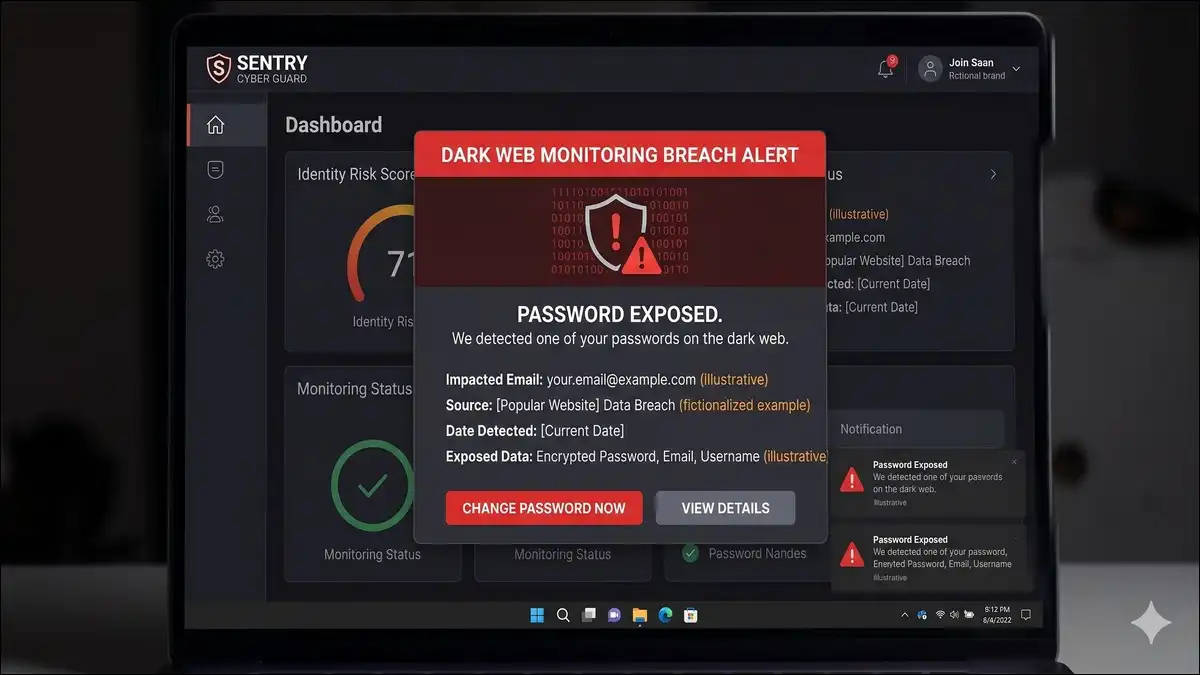
Monitoring tells you when a password leaks. Creating a strong password is step one. Knowing it got exposed is step two.
The catch? Most people fly blind here. Many don’t know whether their credentials are circulating. Keeper Security found 39% of individuals are unaware of whether they’ve been breached.
Luckily, you can fix that gap easily. Check Have I Been Pwned with your email. Enable breach alerts in your password manager.
Then, when a breach hits, act fast. Change the exposed password immediately. Update anywhere you reused it.
What Is the Passkey Future, and How Do You Prepare?
Passkeys are replacing passwords, and you can start now. They use cryptographic keys instead of typed secrets. They’re faster and far harder to steal.
This transition is the real endgame. Strong passwords are your bridge to it. So here’s how to cross.
What Passkeys Are and Why They Matter
A passkey replaces your password with device-based cryptography. Your phone or laptop proves your identity. Nothing typed means nothing phishable.
And adoption already crossed the tipping point. The FIDO Alliance reported 75% consumer awareness of passkeys in 2025. Nearly half of top websites now support them.
They work better, too. Passkey logins succeed far more often than passwords. They also resist credential theft entirely.
Strong Passwords as Your Bridge
You still need strong passwords today. The passwordless world is arriving, not arrived. Most accounts remain password-based for now.
So run a hybrid strategy. Use strong passwords plus MFA on everything. Adopt passkeys as each platform enables them.
This balance protects you in both worlds. You’re secure now and ready for later. No waiting required.
How to Enable Passkeys Today
Major platforms already support passkeys. Setup takes minutes per account. Start with your Tier 1 logins.
Right now, you can enable passkeys on:
- Google — Account security settings
- Apple ID — built into iCloud Keychain
- Microsoft — passkeys are the default for new accounts
- Amazon and PayPal — under login and security settings
Turn them on where you can. Keep strong passwords everywhere else.
Here’s a step-by-step guide to enabling a passkey on a smartphone for passwordless login:
Your Quick-Reference Password Checklist
Use this checklist to audit your accounts today. It captures everything above in one scan. Print it if that helps.
- 15+ characters on every password
- No names, birthdays, or personal info
- A unique password for every account
- Checked against breach lists like Have I Been Pwned
- A password manager doing the heavy lifting
- MFA enabled on all Tier 1 and Tier 2 accounts
- Passkeys turned on wherever available
- Dark web monitoring alerts switched on
Work through it tier by tier. Start with email and banking. The rest follows quickly.
Helpful free tools: Have I Been Pwned for breach checks, Hive Systems’ password tester for strength, and any reputable password manager for generation and storage.
Wrapping Up This Guide
Strong passwords aren’t about suffering through complexity anymore. The modern rule is simple: go long, stay unique, and let tools help. Length protects you; reuse betrays you.
So take three actions this week. First, install a password manager and start migrating accounts. Second, enable MFA on your critical logins.
Third, turn on passkeys wherever your apps offer them. That hybrid approach covers today and tomorrow.
In the end, this is a 20-minute investment, not a lifestyle. And it protects nearly everything else you do online. Your future self will thank you.
People Also Ask For
What is the strongest password length in 2026?
Aim for at least 15 characters. Length matters far more than complexity. A 15-character passphrase can resist brute-force attacks for hundreds of millions of years, while an 8-character password may fall in weeks.
Are passphrases really safer than complex passwords?
Yes. A long passphrase made of random, unrelated words is both stronger and easier to remember than a short string of mixed symbols. NIST now actively encourages passphrases over forced complexity.
Should I change my passwords regularly?
No, not on a schedule. NIST’s updated guidance recommends changing a password only when there’s evidence of compromise. Forced periodic resets push people toward weaker, predictable variations.
Is it safe to let an AI chatbot create my password?
Not reliably. Large language models produce predictable patterns and can repeat the same output for different users. Use a cryptographically secure password generator inside a trusted password manager instead.
Do I still need strong passwords if passkeys exist?
Yes, for now. Most accounts remain password-based, so you need strong passwords plus MFA today. Adopt passkeys wherever supported, and treat strong passwords as your bridge to a passwordless future.
How do I know if my password has been leaked?
Check your email on a breach-monitoring service like Have I Been Pwned. Many password managers also offer built-in dark web monitoring that alerts you when a stored credential appears in a known breach.


![Trumpet Fingering Chart Explained [2026 Guide]](https://www.techdemis.com/wp-content/uploads/2026/01/Trumpet-Fingering-Chart-Explained-800x450.webp)