Opera One Overhauls Browser Theme Tools With Live Previews and Sound Controls
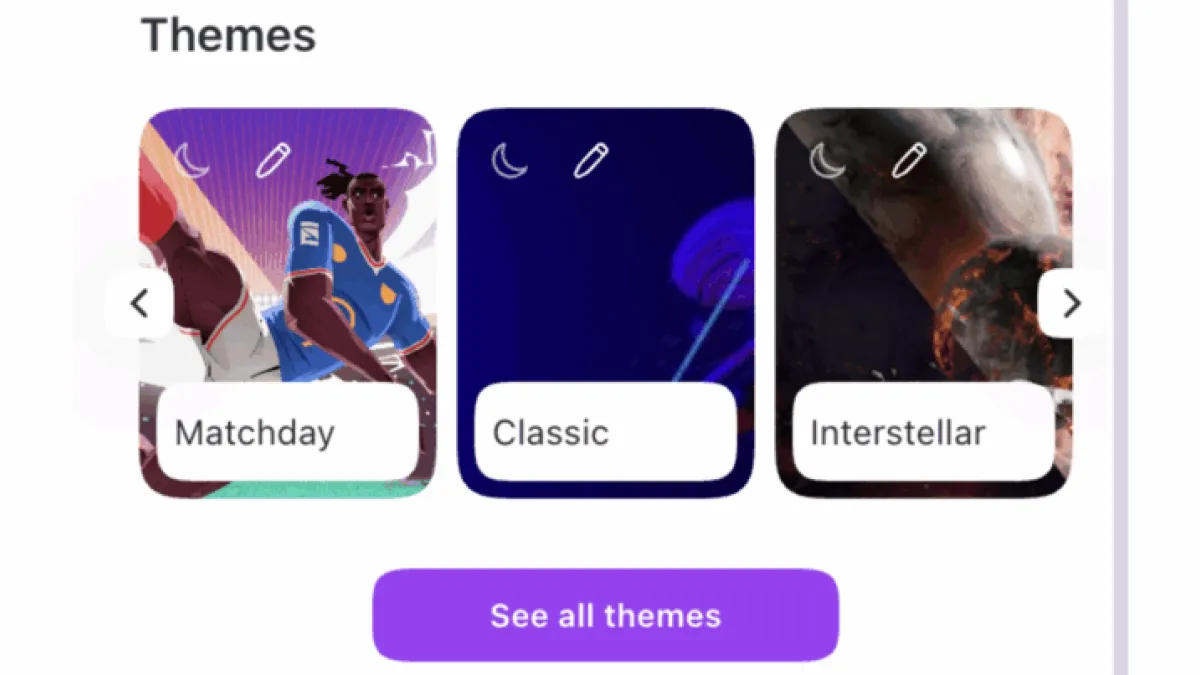
Opera has updated the theme customization interface in its Opera One desktop browser, consolidating controls into the existing Easy Setup menu and adding live previews that apply changes instantly without requiring users to navigate to a separate gallery.
The company announced the changes in an official blog post, citing user feedback on the previous theme editor as the driver behind the redesign.
What Changed in the Interface
The most significant shift moves theme selection directly into the Easy Setup menu — accessible from the top-right corner of the browser — eliminating the need to open a standalone theme gallery.
Users can still click through to an expanded view for more options, but switching themes now requires only a single click from within that top-level menu.
Live preview is the other major addition. As a user selects a theme, the browser applies the visual changes in real time, removing the guesswork of trial-and-error adjustments that characterized the previous system.
Color, Animation, and Sound Controls
The updated interface includes a color saturation slider alongside a standard color picker, Letting Users fine-tune the browser’s palette without opening additional settings panels.
Animation speed also falls under user control through the same interface.
Themes that bundle background music or keyboard sounds — audio layers some Opera skins have included for years — now display a visible indicator on the customization page. A toggle Lets Users switch those sounds off directly from that screen, rather than hunting through broader settings menus.
World Cup Theme and Wallpaper Options
Opera added a theme called “Matchday” timed to the 2026 FIFA World Cup. It includes matching browser and keyboard sounds, Day and Night mode options, a color customization slider, and dedicated sound-on/off toggles.
Users running Opera’s Classic theme gain a new option to set any locally stored image as a wallpaper through an “Add your wallpaper” prompt, alongside controls to adjust the browser’s UI colors within that theme.
Background
Opera One, Opera’s redesigned flagship browser built on a modular tab and sidebar architecture, launched in 2023. The browser competes in a desktop market dominated by Google Chrome, which StatCounter data shows held roughly 65% of global desktop browser share as of early 2025.
Opera has periodically differentiated its product through built-in tools — including a native VPN, AI Sidebar, and audio-reactive themes — that require third-party extensions or manual configuration in competing browsers.
The theme update ships in the current stable build of Opera One and requires no additional download or flag activation.