List Crawling: Learn Simple Methods for Beginners in Web Scraping

List crawling is a key skill in web scraping. In this article, we will teach you simple ways to gather structured data from lists on the internet.
This guide is especially for beginners. You will learn the basic tools and methods needed to crawl any simple website list. Moreover, we will make sure this topic feels simple and practical for you.
What is List Crawling?
List crawling is a specific way to scrape the web. It means you focus only on lists of items. Think of a page full of product listings or search results. These, for example, are perfect targets.
Why Lists Are Special
In regular scraping, you might get a few pieces of data from one page. However, list crawling means getting many similar items. All items in the list follow the same structure. For instance, every product has a title, a price, and a picture. This sameness makes your job much easier.
Crawling means finding the web pages. Scraping means pulling the data from them. Consequently, list crawling does both. You find all the pages that contain the list. Then, you pull every single item from those pages.
The data is organized. This lets you write one set of simple instructions. That instruction set works for all the items. This is why the data collection is fast and very reliable.
List pages often have special challenges. They might use numbered pages (pagination). Alternatively, they might load new items as you scroll down (infinite scroll). We need special techniques for these situations. Learning these techniques is how you master list crawling.
The Two Necessary Steps
You need two things to perform a successful list crawl. We call them the two steps.
- Find the URLs (The “Crawl”): You must first find the web addresses for all the list pages. If a store has 30 pages of shoes, you need all 30 page addresses.
- Pull the Data (The “Scrape”): Once you get the page’s code, you need tools to find the list items. After that, you extract only the name, price, or link you need from each item.
Master these two steps, and you can crawl almost any list on the internet. In short, it is the most important skill for getting large amounts of structured data.
Also read: What Is Oncepik? Everything You Should Know
Your Beginner Scraping Tools
Python is the best starting point for web scraping. It is easy to read. Crucially, it has powerful and simple tools ready to go. We will focus on two simple Python libraries.
They are easy to learn and are the base for most scraping projects.
1. Requests: Connecting to the Web
The Requests library is how your code talks to the internet. It acts like a browser for your Python program. It handles all the technical work of getting a webpage’s code.
When you type a website address, your browser sends a request to the server. The server sends the HTML code back. Similarly, the Requests library does the exact same thing. You give it a URL, and it gives you the page’s raw HTML content.
It is very simple to use. You can get a webpage’s code with one line: response = requests.get(url). We use it because it is so straightforward. It lets you focus on finding the data, not on fixing network issues.
Furthermore, you can easily add information to your request. For example, you can tell the website that you are a regular web browser. This can help prevent the website from blocking you.
The Requests library is your essential starting point.
2. Beautiful Soup: Decoding the Code
After Requests gets the HTML code, you have a huge block of messy text. This means Beautiful Soup (or bs4) is needed. Beautiful Soup is a tool that helps you read and search through that messy code.
Imagine the raw HTML is a giant text file with no structure. Beautiful Soup takes that text and turns it into an organized tree of elements.
So, you can easily search this tree for what you need. We use special markers, like CSS selectors, to point Beautiful Soup to the data. First, you find the big box that holds all the list items. Then, you tell Beautiful Soup to find every item inside that box.
This tool is very reliable for beginners. It works well even if the HTML code is not perfect. Consequently, you only need to learn a few simple commands, like how to find() one element and how to find_all() elements.
Beautiful Soup works perfectly with the Requests library. One gets the page, and the other pulls the specific data out.
| Library | What It Does | Role in List Crawling | Ease of Use |
| Requests | Connects to the server. | Downloads the HTML content for all pages in the list. | Very Easy |
| Beautiful Soup | Parses and searches HTML code. | Finds the repeating item structure and extracts the title and price. | Easy |
Method 1: Crawling Pages with Numbers (Pagination)
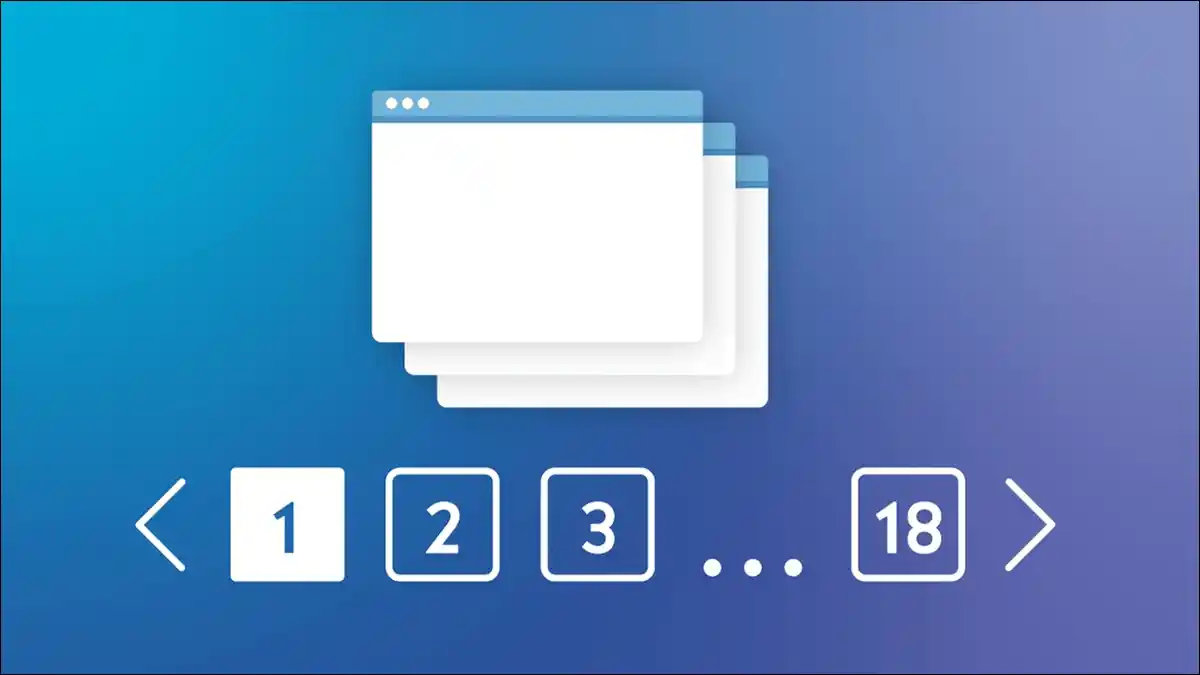
The easiest way of doing List Crawling is to use static pagination. The list of items is split across multiple pages. At the bottom, you see page links: 1, 2, 3, and so on.
Importantly, each page has a clean, unique web address.
The Simple Repeating Strategy
We use a “loop” strategy for these pages. You need to figure out how the page address changes.
Look at the page addresses you are crawling:
- Page 1: https://store.com/category?p=1
- Page 2: https://store.com/category?p=2
- Page 3: https://store.com/category?p=3
You can clearly see the pattern: only the number at the very end changes. This number is your key. You can write a small program that uses a loop to change this number automatically.
You tell the loop to start at 1 and stop when it reaches the final page number. Inside the loop, your code builds the new URL, downloads the page with Requests, and scrapes the items with Beautiful Soup.
After that, the loop goes to the next number. This repeats until all pages are scraped. This method is the fastest and most stable for simple lists.
Handling Different Page Address Styles
Not every website uses a simple ?p=X style. Instead, you might see other patterns:
- URL Folder:
/category/page/3/ - Item Count:
?offset=20(where 20 is the number of items skipped)
The basic plan stays the same. You still need to find the pattern. For example, instead of adding 1 to the page number, you might add 20 to the offset number in your loop. You need to be a detective.
Check the links for pages 2, 3, and 4 to find the rule. Once you know the rule, the coding part is easy.
We must also be polite. You should add a small pause between each page download. If you download 50 pages in 5 seconds, the website might think you are attacking it and block you.
Therefore, always wait 2 to 3 seconds between requests. This is called throttling, and it is necessary for ethical scraping.
Also read: What is RCS Messaging (RCS Chat) and How to Use It?
Method 2: Crawling Hidden Data (Dynamic Lists)
Many modern websites use JavaScript to load content. These are called dynamic lists. If you use the simple Requests library on a dynamic page, the list will appear empty in the code you get back.
The reason is the list only shows up after the initial page loads.
Finding the Hidden API Source
When you see a dynamic list, do not try to load the JavaScript right away. First, you need to find where the website gets the data from. The data is usually pulled from a secret location called an API (Application Programming Interface).
You can use your web browser’s built-in tools to find this API. These tools are called Developer Tools (or DevTools).
- Open the list page in your browser.
- Open your browser’s DevTools (press F12).
- Click the “Network” tab.
- Refresh the page (F5).
- Watch the list of requests. Look for a file that is named like a data file, often ending in .json or labeled as XHR.
This JSON file is the hidden API. It is the direct source for the list data.
Why the API Method is Better
If you can scrape this API, it is much better than dealing with the complicated HTML.
- It is Faster: You get the data directly. You do not wait for the browser to build the whole web page.
- It is Cleaner: The data comes as a structured JSON file. As such, this is much easier to work with than messy HTML.
- It is More Reliable: You often bypass the website’s main defenses. You are hitting a simple data address, which is often less protected.
To scrape the API, you use the Requests library again. You send a request to the special API address you found. The server sends back JSON data. Python can easily convert this JSON into a dictionary.
Thus, you can then pull out the names and prices without ever needing Beautiful Soup. This method is the best way to handle dynamic lists once you learn how to find the hidden API.
Ethical Rules for List Crawling
Before you write your first line of code, you must understand the rules. Scraping must be done responsibly. Otherwise, you could get your computer blocked or even face legal action.
Be a Polite Guest
The main goal is simple: do not cause any trouble for the website you are visiting. Treat your scraper like a good guest.
- Check
robots.txt: Every website has a file calledrobots.txt(e.g.,https://site.com/robots.txt). This file lists the parts of the website that the owner does not want bots to visit. You must read this file and follow its instructions. This is the basic rule of scraping ethics. - Add Pauses: Never send too many requests too quickly. This can crash the website’s server. This activity is called a Denial of Service (DoS) attack, and it is illegal. We recommend waiting at least 2 to 5 seconds between each page request. This is called throttling and it prevents server overload.
- Tell Them Who You Are: Use a specific User-Agent in your request. A User-Agent is like a name tag for your scraper. Instead of pretending to be a regular browser, you can say:
MyProjectBot/1.0 (Contact: yourname@email.com). That way, if the website has a problem, they can contact you instead of just banning your IP address.
A Quick Note on Legal Issues (Reference)
The law around scraping is tricky. It changes depending on where you are and what data you collect.
- Public Data is Safer: Scraping data that is publicly available (data you can see without logging in) is generally considered legal in many places. However, scraping data from behind a login or password is very risky. It can violate security laws.
- Check the Rules: Always check the website’s Terms of Service (ToS). If the ToS says “no automated scraping,” then scraping it is a breach of contract.
- Avoid Personal Data: Never, ever collect personal information like email addresses, phone numbers, or private names. This is protected by laws like GDPR and CCPA. The penalties for misusing personal data are very serious.
Therefore, always follow the ethical rules. Be polite, respect the website’s rules, and avoid personal data. This keeps your project safe and responsible.
Also read: Void Scanner: What It Is and How It Works

Advanced List Crawling Method: Handling Infinite Scroll
The most difficult list to crawl is one with infinite scroll. There are no page numbers. New items only load when you scroll down to the bottom of the page.
This action is done entirely by JavaScript.
Why Simple Tools Fail Here
The simple Requests library cannot run JavaScript. Thus, if you try to scrape an infinite scroll page, you only get the first few items. All the items that load after scrolling are missed. You need a tool that can act like a real user.
Introducing Playwright: The Web Pilot
For tough dynamic lists, we use a powerful library called Playwright. Playwright lets you control an actual web browser, such as Chrome, using your Python code.
- Start the Browser: Playwright launches a browser (often hidden, or “headless”).
- Go to the Page: It tells the browser to open the list URL and wait for the page to fully load.
- Scroll and Wait: This is the key part. You use a command that tells the browser to scroll down to the bottom. When the browser scrolls, the website’s JavaScript runs, and more list items appear.
- Repeat: You put the scroll command in a simple loop. You scroll down, wait a few seconds for new items to load, and then scroll again. You repeat this until no new items appear.
- Get the Final Code: Once you have scrolled through the whole list, Playwright gives you the complete HTML code. This code now contains all the items.
You still use Beautiful Soup to process the final HTML code. While Playwright is slower because it runs a full browser, it is the best way to scrape websites that use infinite scroll.
Learning Playwright unlocks almost every website on the internet for your scraping projects.
How to Structure Your Collected Data After List Crawling
Getting the data is only half the job in list crawling. You need to organize it so you can use it later. List crawling is only useful if the final data is clean.
Using Python’s Lists and Dictionaries
As your code loops through a list, it extracts the details for each item. You need a way to hold this data. We use Python’s basic structures: dictionaries and lists.
- Item Dictionary: For every single item you scrape (e.g., one shoe), you create a Python dictionary. The keys of the dictionary are your data fields, like ‘Shoe Name’ and ‘Price’. The values are the data you pulled from the page.
- Master List: You create one large Python list. You add every completed item dictionary to this master list.
When your crawl is done, your master list will hold thousands of organized dictionaries. Every dictionary is one clean list item.
Saving the Data Correctly
The final step is saving your structured Python data into a file. This file should be easy to share and open in other programs. The two most popular file types are CSV and JSON.
- CSV (Comma Separated Values): This is the best choice for simple tables. Every item becomes a row. Every data field becomes a column. It is perfect for spreadsheets like Excel or Google Sheets. It is simple and works everywhere.
- JSON (JavaScript Object Notation): This format is better for data that has a more complex, nested structure. It saves the data in a way that matches your Python dictionary perfectly. It is the preferred format for other software developers and advanced data projects.
You can use the built-in csv and json libraries in Python to save your data easily. This final step transforms the raw information you crawled into a valuable, organized asset that is ready for any analysis you need to perform.